

Free SMTP Servers 2025 Review: 7 Best Tools to Send Emails


Free SMTP Servers. In 2025, email deliverability remains the lifeblood of successful digital marketing. Yet, one of the biggest hidden challenges many businesses face isn’t crafting the perfect email — it’s actually getting that email delivered.
That’s where Free SMTP Servers come in. They act as the technical backbone behind your email sending — ensuring that your newsletters, transactional messages, and automation workflows actually reach your subscribers’ inboxes instead of the spam folder.
Whether you’re a startup, small business, or solo creator, finding a reliable and cost-effective way to send emails at scale can save hundreds of dollars per month. And with today’s wide range of free-tier SMTP providers, you can now enjoy enterprise-grade delivery speeds, tracking, and authentication — without paying upfront.
In this detailed guide, we’ll cover:
✅ What SMTP servers are and how they work
✅ The pros and cons of using free SMTP services
✅ A comparison of the best free SMTP servers in 2025 (with limits & reliability stats)
✅ Setup tips, integration examples, and deliverability hacks
So if you’ve been struggling with low open rates, poor deliverability, or budget constraints — this post will help you find the best free SMTP solution to power your campaigns confidently in 2025 and beyond.
What Is an SMTP Servers (and How Does It Work)?
Before diving into the list of the best free SMTP servers, it’s important to understand what SMTP actually does — and why it’s crucial for email deliverability in 2025.

SMTP Servers Meaning: The Backbone of Email Sending
SMTP stands for Simple Mail Transfer Protocol, which is the global standard for sending emails across the Internet. Think of it as the digital “post office” that takes your outgoing emails and safely delivers them to your recipient’s inbox.
Every time you send an email from Gmail, Outlook, or your business domain, it travels through an SMTP server that handles communication between your email client and the recipient’s email provider.
Here’s a simple breakdown of how SMTP email sending works:
- 📨 Email Submission – Your email client (like Outlook, Gmail, or a marketing tool such as GetResponse or Mailchimp) connects to an SMTP server.
- 🔗 Server Communication – The SMTP server authenticates your identity (via username, password, or API key) and accepts the message.
- 🌍 Mail Relay – The server locates the recipient’s domain (for example, @gmail.com) and relays the message to the correct destination mail server.
- 📬 Delivery – The recipient’s mail server receives the message and stores it in the inbox (or spam folder, if authentication fails).

Why SMTP Matters for Marketers and Businesses
Without SMTP, email marketing platforms wouldn’t be able to send bulk messages, transactional alerts, or automation workflows.
Using a free SMTP server allows you to:
- Send bulk or transactional emails directly from your domain
- Improve email deliverability through SPF, DKIM, and DMARC authentication
- Track delivery, open rates, and bounces
- Save money on third-party email sending tools
In short, SMTP servers are the invisible engine that powers every email you send — and choosing the right one can make or break your deliverability in 2025.
🔄 SMTP vs. Regular Email Sending
| Feature | SMTP Email Sending | Regular Email Sending (e.g., Gmail, Outlook) |
| Deliverability Control | ✅ High (custom authentication) | ❌ Limited |
| Sending Limit | 💌 High (depends on provider) | ⚠️ Restricted |
| Tracking Options | 📊 Yes (open & bounce reports) | 🚫 No |
| Use Case | Marketing & Automation | Personal/Business use |
So while personal email providers are great for day-to-day communication, SMTP servers are essential when you’re sending hundreds or thousands of emails for campaigns, notifications, or newsletters.
Benefits of Using Free SMTP Servers in 2025
In 2025, email remains one of the most powerful digital marketing channels — but high email deliverability and cost efficiency are key challenges. That’s where Free SMTP Servers come in.
They don’t just save money; they also provide flexibility, better control, and improved trust with inbox providers like Gmail and Outlook.
Below are the main benefits of using free SMTP servers for email sending in 2025 👇
Cost-Effective Email Delivery for Startups and Small Businesses
If you’re running a small business, newsletter, or automation campaign, you don’t always need a paid solution right away.
Free SMTP servers help you send thousands of emails per month — without any subscription cost.
Many tools like Gmail SMTP, Sendinblue (Brevo), or Mailgun offer free tiers with generous limits for startups or solo entrepreneurs. This makes it easier to test your campaigns, build your sender reputation, and scale gradually.
👉 Example: Gmail SMTP allows up to 500 emails/day, perfect for small newsletters or service notifications.
Full Control Over Email Sending Configuration
With an SMTP setup, you can fully customize how your emails are sent — including:
- Authentication (SPF, DKIM, DMARC)
- Sending limits
- Dedicated IPs or domains
- Bounce tracking
This gives you complete control over your sender reputation, which directly impacts your inbox placement.
Unlike third-party tools that manage everything in the background, Free SMTP servers let you decide how your email infrastructure operates.
Improved Deliverability and Fewer Spam Issues
Email providers like Gmail, Outlook, and Yahoo have become smarter about spam filtering.
If your emails are sent via unverified servers or shared IPs, they can easily end up in the spam folder.
Using your own or a trusted free SMTP server improves:
- ✅ Authentication and trust with ISPs
- ✅ Delivery rate and inbox placement
- ✅ Fewer “soft bounces” or spam complaints
In 2025, with tighter anti-spam regulations (like Google’s February 2025 email policy updates), having a verified SMTP sending setup is no longer optional — it’s essential.
Better Integration with Email Marketing Tools
Modern email marketing software like GetResponse, Moosend, and ActiveCampaign allows external SMTP connections.
This means you can plug in a Free SMTP Server (like Mailgun or Amazon SES free tier) and use it to power your campaigns — all while saving costs on email credits.
✅ You get the best of both worlds:
- Automation + analytics from your marketing tool
- Cost-free sending from your SMTP server
Enhanced Data Privacy and Control
When you use third-party senders, your campaign data often passes through their servers.
With a private or free SMTP setup, you maintain full control of your customer data and email logs.
This matters more than ever in 2025, with rising global privacy laws (GDPR, CCPA, and others).
By using your own SMTP configuration, you reduce dependency on third parties while maintaining compliance.
Scalable for Growth and Testing
Free SMTP servers aren’t just for beginners — they’re great for testing workflows, templates, and automations before investing in premium plans.
You can start small, analyze performance, and then upgrade to a paid tier once you outgrow the limits.
This flexibility is ideal for:
- SaaS startups
- Email marketers are testing new tools
- Freelancers running a client campaign
Global Email Sending Capability
SMTP servers operate globally, making them ideal for remote businesses and international campaigns.
Whether you’re sending from the U.S., Pakistan, or Europe, SMTP email sending ensures fast and secure delivery across all regions.
Free SMTP servers in 2025 are not just a “temporary free tool” — they’re a powerful, scalable, and budget-friendly foundation for any business serious about email marketing.
7 Top Free SMTP Servers for 2025 (Tested & Compared)
Here are some of the best free SMTP server options in 2025 — each suited to different use-cases, from small blogs to growing e-commerce stores.
📋 Quick Feature Comparison Table
| Provider | Free Tier Limit* | Best for | Key Feature |
| Sendinblue (Brevo SMTP) | ~300 emails/day free plan GetResponse+2FluentSMTP+2 | SMBs & marketing | All-in-one automation + SMTP |
| Mailgun | 100 emails/day free emailwarmup.com | Developers & transactional | API + strong SMTP relay |
| SendGrid | 100 emails/day free WPBeginner+1 | Large-scale & dev teams | Scalable infrastructure |
| Zoho Mail SMTP | Free tier for small teams (e.g., 5 users) Email vendor selection+1 | Small teams/startups | Domain-based email + SMTP |
| Elastic Email | ~100 emails/day free FluentSMTP+1 | Budget-conscious senders | Basic SMTP relay at low cost |
| SMTP2GO | ~1,000 emails/month free Mailtrap+1 | Freelancers/smaller campaigns | Easy setup + global server reach |
| Amazon Web Services (SES) | ~62,000 emails/month free (with EC2) FluentSMTP+1 | High-volume & scaling | Pay-as-you-go, enterprise-grade |
* Free tier limits vary and may change — always check the provider’s site.
🔍 Provider Reviews (Pros & Cons)
1. Sendinblue (Brevo SMTP)

Pros:
- Honest free volume of ~300 emails/day for SMBs.
- Built-in marketing automation + SMTP relay — ideal for combined use.
- Good deliverability and easy to upgrade. GetResponse+1
Cons: - The free plan may limit advanced analytics/features.
- For heavy senders, you’ll need to upgrade.
Good choice if: You run marketing campaigns + need SMTP for transactional messages in one platform.
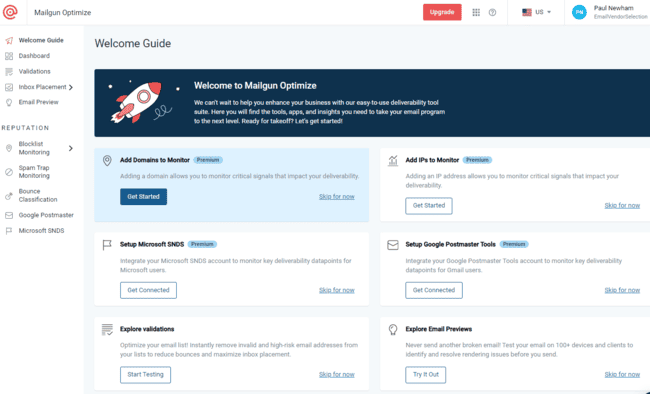
2. Mailgun
Pros:
- Developer-friendly with SMTP/API access.
- Focused on transactional email — reliable and high performance. emailwarmup.com
Cons:
- Free tier is limited; more technical setup required.
- Fewer marketing tool features.
Good choice if: You’re a developer or technical marketer sending triggered emails and need robust SMTP.
3. SendGrid
Pros:
- Strong infrastructure, good for scaling.
- Free tier gets you started with everyday needs. WPBeginner+1
Cons:
- The free limit may be small for larger campaigns.
- Some advanced features cost extra.
Good choice if: You’re growing and expect your sending volume to increase, and want to avoid switching platforms later.
4. Zoho Mail SMTP
Pros:
- Works well for small teams and startups needing both email hosting + SMTP.
- Free user accounts + domain-based email make it affordable. DuoCircle
Cons:
- Free SMTP limits may restrict large campaigns.
- The feature set is more basic compared to full SMTP specialists.
Good choice if: You’re a small business wanting domain email + a bit of SMTP sending.
Try Zoho Mail SMTP For Free Now
5. Elastic Email
Pros:
- Budget-friendly, suitable for small senders or testing. FluentSMTP+1
- Simple SMTP setup and minimal cost to scale.
Cons:
- Free limits are low (e.g., 100/day), which may not suit growing lists.
- Fewer automation/marketing features on the free tier.
Good choice if: You need SMTP relay primarily (not a full marketing suite) and have modest volume.
6. SMTP2GO

Pros:
- Good free allowance (~1,000 emails/month) for freelancers or small campaigns. Mailtrap+1
- Global server network and reliable sending.
Cons:
- The free plan is still limited to mid-sized lists.
- Some features are reserved for the aid tier.
Good choice if: You’re just starting and want a dedicated SMTP relay without cost.
7. Amazon SES (Simple Email Service)
Pros:
- Extremely high throughput potential; free limits are generous when paired with EC2. FluentSMTP+1
- Ideal for technical users building scale.
Cons:
- Requires some technical knowledge (AWS, DNS, configuration).
- Less marketing tool features; more infrastructure-oriented.
Good choice if: You expect to scale huge volumes, have developer resources, and want minimal cost per email.
How to Choose the Right Free SMTP Server
When selecting a free SMTP server in 2025, consider:
- Free tier sending limits: Does it meet your current volume?
- Deliverability and reliability: Ask for reviews, send tests, and check reputation.
- Ease of setup & integration: Especially if you’re not technical.
- Upgrade path: Will the provider support you as you grow?
- Purpose: Transactional vs marketing emails — some are better at one than the other.
How to Set Up a Free SMTP Server (Step-by-Step)
Setting up a free SMTP server in 2025 is much easier than it used to be. Whether you’re sending transactional emails, newsletters, or contact form alerts, all you need is the right configuration and a few quick checks. Follow this step-by-step guide to get your free SMTP server running smoothly.

🧩 Step 1: Create Your Free SMTP Account
Start by signing up with a trusted free SMTP provider such as Gmail, SendGrid (free tier), Brevo (formerly Sendinblue), or Mailgun.
Most of these platforms let you send between 100–500 emails per day for free — ideal for small businesses and startups.
👉 During signup, make sure to use your official business email (e.g., hello@yourdomain.com) for better deliverability and fewer spam flags.
🔐 Step 2: Configure Your SMTP Credentials (Host, Port, and Encryption)
After registration, you’ll receive your SMTP host, port number, and authentication details.
Typical SMTP settings look like this:
- SMTP Host: smtp.yourprovider.com
- Port: 465 (SSL) or 587 (TLS)
- Username: your business email
- Password: your SMTP key or account password
Next, open your email client (like Outlook, Thunderbird, or your website’s mail plugin) and enter these details under the “Outgoing Mail Server” section.
💡 Transition tip: Don’t skip the encryption setting — using SSL or TLS ensures your emails are securely transmitted and not flagged by filters.
🧾 Step 3: Verify Your Domain and Email Address
Most free SMTP servers require you to verify ownership of your sending domain before emails can go live.
To do this:
- Add DNS records (TXT or CNAME) provided by your SMTP provider.
- Verify your sending email address (you’ll usually receive a confirmation link).
Once verified, your domain gains a stronger sender reputation, improving inbox placement rates.
🧪 Step 4: Test Your SMTP Setup
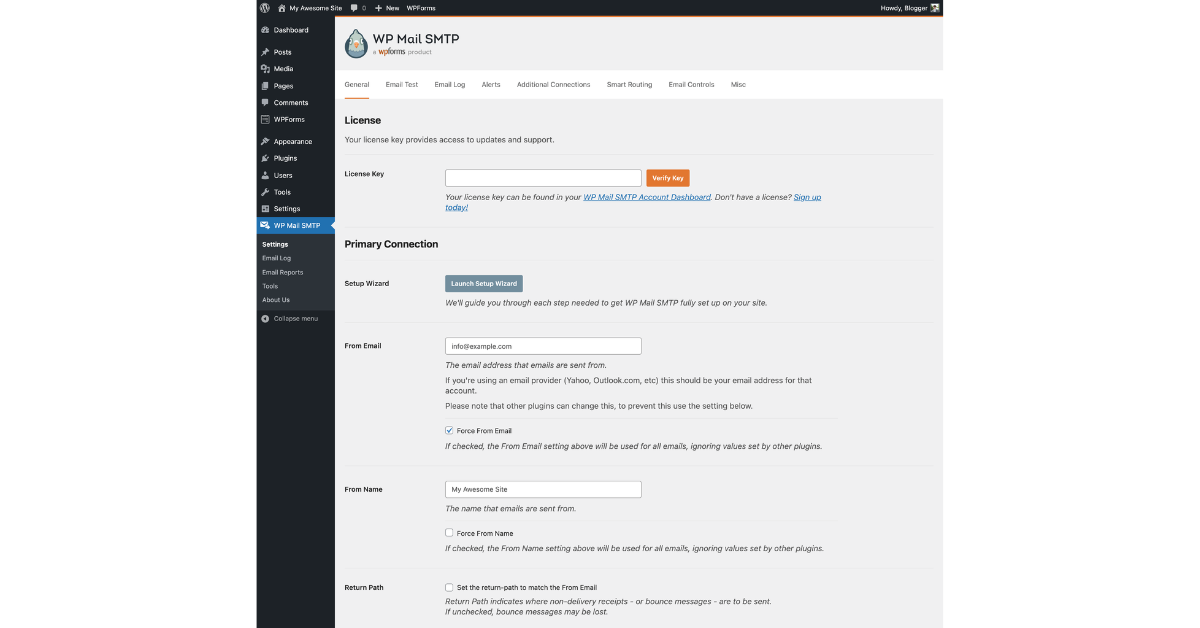
Before sending live campaigns, always test your configuration.
You can use:
- SMTP Test Tools like Mail-Tester, MXToolbox, or SendGrid’s built-in test.
- An email client (like Thunderbird) to send a trial message.
If everything is set up correctly, your test email should land in the inbox without errors.
🧠 Pro Tip:
Use free testing tools to confirm your DNS (SPF, DKIM, and DMARC) records are correctly configured. This step drastically reduces spam folder delivery.
⚡ Bonus: Common Setup Mistakes to Avoid
Even small errors can break your SMTP connection. Here are a few to watch for:
- ❌ Using the wrong port or encryption method.
- ❌ Forgetting to enable “less secure apps” (for Gmail).
- ❌ Not verifying DNS records correctly.
- ❌ Entering an expired API key or password.
Always double-check credentials and retest after any change — it saves hours of troubleshooting.
How to Improve Deliverability with Free SMTP Servers (2025 Guide)
If you’re using a Free SMTP Server, getting your emails delivered — not flagged as spam — is the real challenge. High deliverability ensures your campaigns actually reach your subscribers’ inboxes instead of the junk folder. Let’s walk through the most effective SMTP deliverability tips for 2025.

🧾 1. Set Up SPF, DKIM, and DMARC Records
To boost trust and prevent spoofing, you must configure three DNS records — SPF, DKIM, and DMARC.
SPF (Sender Policy Framework):
Tells receiving servers which IP addresses are allowed to send emails on behalf of your domain.
DKIM (DomainKeys Identified Mail):
Adds a digital signature to each outgoing email, confirming the message hasn’t been tampered with.
DMARC (Domain-based Message Authentication, Reporting & Conformance):
Combines SPF and DKIM policies to protect against phishing attacks.
✅ Pro Tip: Use tools like MXToolBox or Google Postmaster Tools to verify that your records are valid and properly aligned.
✉️ 2. Avoid Spam Triggers in Your Email Content
Even with perfect DNS records, your emails can still end up in spam if your content appears suspicious.
Here’s how to avoid that:
- Don’t use spammy phrases like “Buy Now!!!” or “Make Money Fast!”
- Avoid excessive use of emojis or all-caps subject lines.
- Balance your text-to-image ratio — don’t send image-only emails.
- Always include a visible unsubscribe link and a real business address.
✅ Pro Tip: Before sending a campaign, run your content through tools like Mail-Tester or SpamAssassin to check your spam score.
👥 3. Use Double Opt-In for Quality Lists
A double opt-in process ensures that subscribers confirm their subscription by clicking a verification link.
This reduces the number of fake or mistyped emails and enhances your sender reputation.
- Fewer bounces = higher deliverability.
- Better engagement = improved inbox placement.
✅ Pro Tip: Set up automated welcome emails that trigger only after confirmation — this helps maintain a clean, verified list.
🔥 4. Warm Up Your SMTP Server Gradually
If you’re using a new Free SMTP Server, don’t send hundreds of emails right away. ISPs might flag your account as spam.
Here’s how to warm up safely:
- Start with 20–30 emails/day for the first few days.
- Gradually double the volume every 2–3 days.
- Monitor bounce rates and reputation using tools like Postmaster Tools or SendForensics.
✅ Pro Tip: Use automation tools like Warmup Inbox or MailReach for automatic and safe warm-up schedules.
📊 5. Monitor Engagement and Feedback Loops
Finally, track metrics like:
- Open rates
- Click-through rates
- Bounce rates
- Spam complaints
Consistent engagement signals to ISPs that your content is valuable — improving long-term deliverability.
✅ Pro Tip: Remove inactive subscribers every few months to maintain a healthy list and protect your sender score.
Free SMTP vs Paid SMTP: Which One Should You Choose in 2025?
When it comes to sending bulk emails or automated campaigns, one of the most common questions marketers ask is —
“Should I use a free SMTP server or invest in a paid one?”

Both have their strengths and limitations, but your choice largely depends on your goals, sending volume, and budget. Let’s break down the main differences in this Free vs Paid SMTP comparison.
⚖️ Free vs Paid SMTP — Feature Comparison
| Feature | Free SMTP Servers | Paid SMTP Servers |
| Email Limit | Restricted (daily or monthly limits apply) | Virtually unlimited, depending on your plan |
| Reliability | Medium — occasional delays or throttling | High — consistent uptime and fast delivery |
| Support | Basic or community-based help | Priority or dedicated customer support |
| API Access | Sometimes limited or unavailable | Full, developer-friendly APIs with documentation |
| Security | Standard SSL/TLS encryption | Advanced encryption + dedicated IPs |
| Deliverability | Moderate, depends on configuration | Excellent with advanced reputation management |
| Best For | Beginners, startups, or testing purposes | Businesses, marketers, and scaling campaigns |
💡 Key Takeaways: Free vs Paid SMTP
- Free SMTP servers are ideal for beginners or small projects — perfect when you’re testing deliverability, building small lists, or running low-volume campaigns.
However, expect limitations like daily send caps (e.g., 100–500 emails) and slower customer support. - Paid SMTP services, on the other hand, provide enterprise-level reliability. You’ll get faster delivery speeds, dedicated IPs, higher inbox placement, and better analytics.
These are critical for businesses sending high-volume marketing or transactional emails daily. - Transitioning from free to paid is often seamless — most email marketing tools allow easy SMTP integration, meaning you can start free and scale when ready.
👉 Explore our detailed guide: Best Email Marketing Tools in 2025 — to discover platforms that integrate perfectly with both free and paid SMTP providers.
Best Practices to Combine Free SMTP with Email Marketing Tools (2025)
If you’re using Free SMTP Servers for your campaigns, pairing them with the right email marketing tools can significantly boost your performance. While SMTP handles the sending, these tools manage design, automation, and analytics — creating a complete system that saves time and improves deliverability.

Here’s how to make the most of both worlds 👇
🔗 Choose an Email Marketing Platform That Supports Custom SMTP
Before anything else, make sure your email platform allows custom SMTP integration.
Platforms like MailerLite, Moosend, Sendinblue (Brevo), and GetResponse let you connect an external SMTP server easily.
🧩 This allows you to design and automate emails using the tool’s interface while sending them via your Free SMTP — cutting costs and maintaining flexibility.
👉 Check out our Email Marketing Tools in 2025 guide to find platforms compatible with Free SMTP integration.
⚙️ Verify Your Domain & Set Up Authentication (SPF, DKIM, DMARC)
Even when using free SMTPs, authentication is non-negotiable.
Proper DNS records help improve sender reputation and prevent your emails from landing in spam.
✅ Add these records to your DNS zone:
- SPF → Authorizes your SMTP server to send on behalf of your domain.
- DKIM → Adds a digital signature for each email, ensuring authenticity.
- DMARC → Provides reporting and additional protection against spoofing.
🧠 Pro Tip: Test your setup using tools like Mail-Tester.com or MXToolbox.
📈 Use Automation Workflows (Even with Free SMTP)
Many users think automation requires a paid plan — but that’s not always true.
Free email tools combined with SMTP servers can still send automated sequences, such as:
- Welcome emails for new subscribers
- Abandoned cart reminders
- Follow-up or re-engagement campaigns
⚡ For example, use MailerLite + Gmail SMTP to trigger automatic responses when someone signs up through your form.
📊 Monitor Deliverability Metrics Regularly
Free SMTP servers often don’t include built-in analytics, but you can still track performance:
- Use UTM parameters in links to monitor engagement via Google Analytics.
- Set up bounce and unsubscribe tracking inside your email tool.
- Watch for spikes in spam complaints or delivery failures.
📌 A consistent monitoring routine helps you maintain a strong sender score and higher inbox placement.
💬. Warm Up Gradually Before Sending Bulk Campaigns
Never send thousands of emails from a new free SMTP server right away.
Start slow — send 50–100 emails per day, gradually increasing volume to build trust with ISPs.
🔥 Warm-up tools like Warmup Inbox or MailFlow can automate this process and protect your sender reputation.
🎯 Segment and Personalize Even on Free Plans
Even with free plans, personalization and segmentation are key to engagement.
Divide your audience by behavior, interest, or engagement level and send targeted emails through your SMTP setup.
🧠 Example: Use “Free SMTP + Moosend” to send personalized product recommendations based on user activity.
🧩 Upgrade When You Hit Sending or Deliverability Limits
Free SMTPs are a great start — but when you begin sending thousands of emails weekly, consider switching to a paid SMTP service (like SendGrid or Amazon SES).
You’ll gain access to faster delivery speeds, better reporting, and reliable uptime.
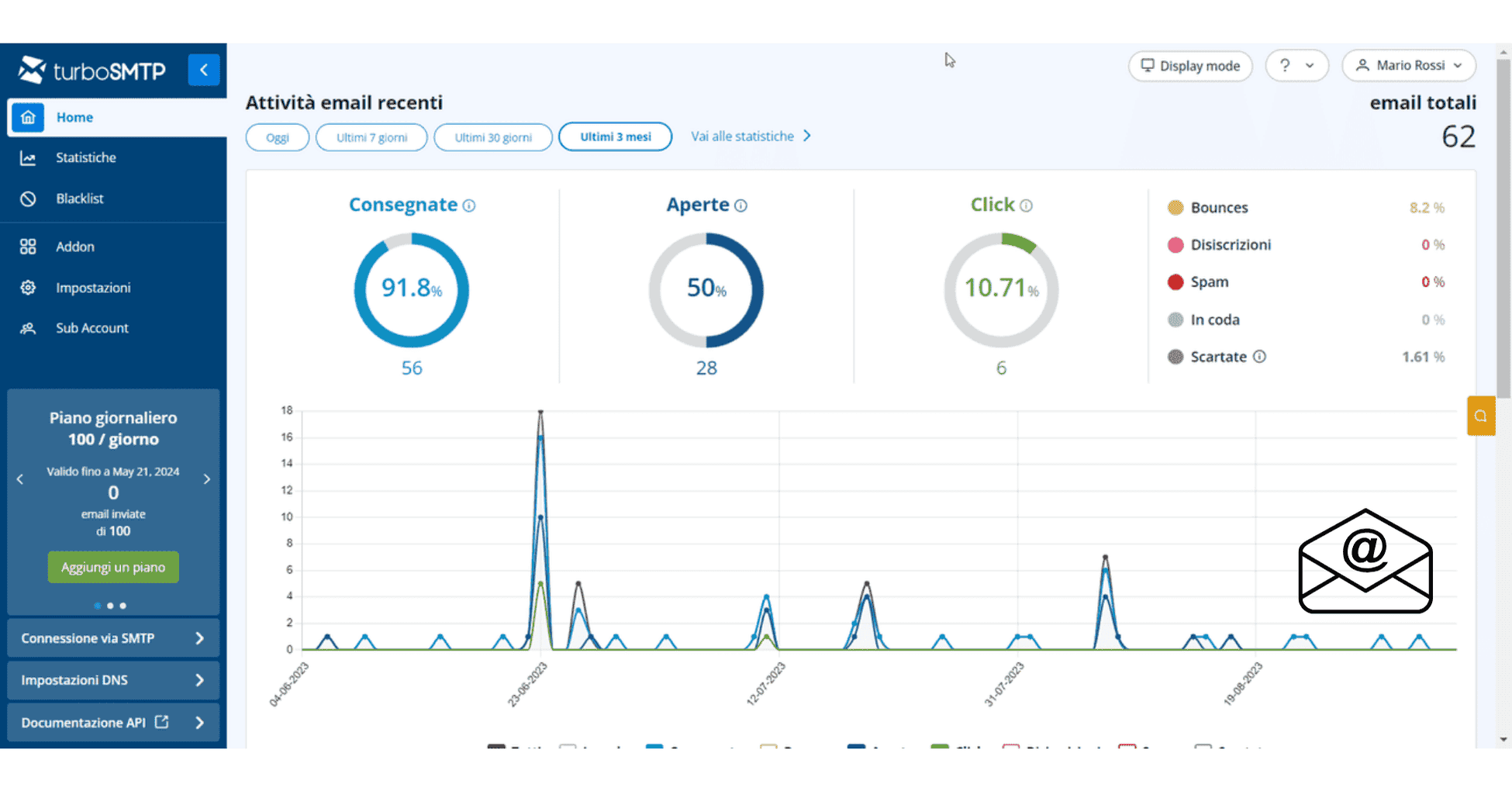
Workflow graphic showing “Free SMTP Server” connected to “Email Marketing Tool” → “Automation” → “Analytics Dashboard”.
👉 How to Set Up a Free SMTP Server (Step-by-Step)
👉 SMTP Deliverability Tips for 2025
Common Issues with Free SMTP Servers (and How to Fix Them)

While Free SMTP Servers are an excellent way to cut costs and start sending professional emails, they often come with limitations and common issues that can impact deliverability and performance.
Here’s a complete breakdown of the most frequent problems — and how to fix each one quickly 👇
📨 Emails Landing in Spam Folders
Problem:
Your emails don’t reach the inbox and instead go straight to the spam or promotions tab.
Why does it happen?
- Missing SPF, DKIM, or DMARC authentication.
- Poor IP reputation from shared servers.
- Using spam-triggering keywords or heavy HTML.
How to fix it:
✅ Set up SPF, DKIM, and DMARC records correctly.
✅ Avoid spammy subject lines like “Buy Now!!!” or “Limited Offer.”
✅ Use a clean, text-based design with optimized HTML.
✅ Warm up your SMTP IP before sending bulk campaigns.
💡 Pro Tip: Test every campaign with Mail-Tester.com before sending.
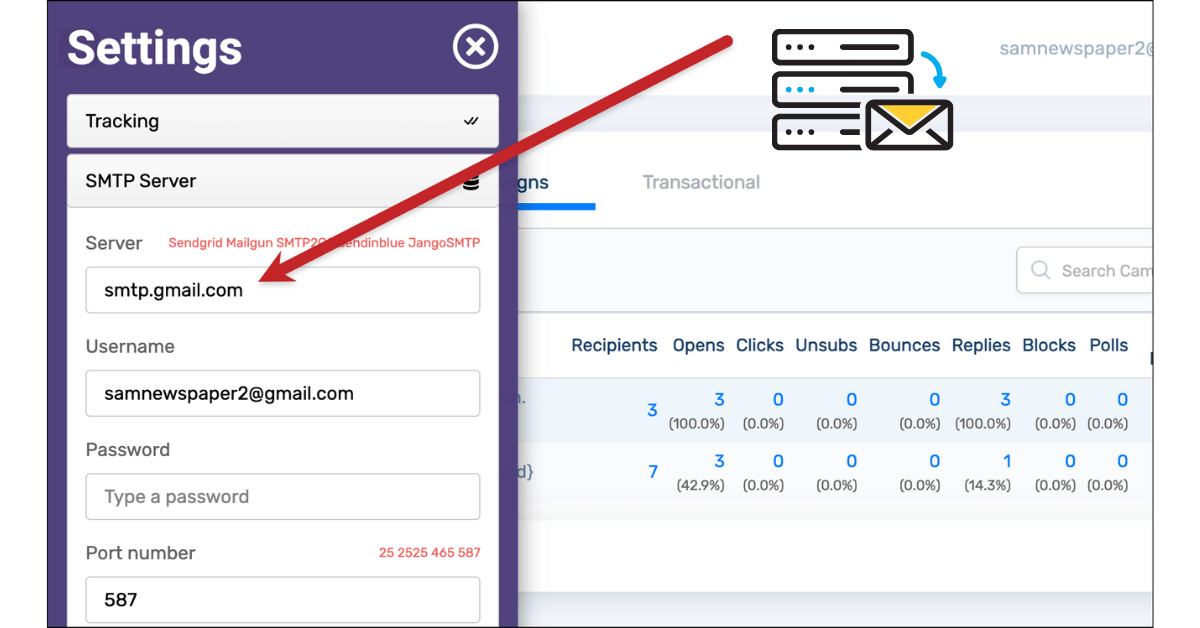
⚙️ Authentication Errors or Wrong SMTP Credentials
Problem:
You see errors like:
“535 Authentication Failed” or “554 Relay Access Denied.”
Why does it happen?
This usually occurs when your SMTP host, port, username, or password is incorrect, or SSL/TLS settings don’t match.
How to fix it:
✅ Double-check your SMTP settings (host, port, encryption).
✅ For Gmail or Outlook SMTP, enable “Allow less secure apps” or create an App Password.
✅ Test credentials using an email client (Thunderbird or Outlook) before connecting to your tool.
🚫 Sending Limits Reached Too Early
Problem:
Your emails stop sending after a few hundred per day.
Why does it happen?
Most free SMTPs (like Gmail or Mailjet) cap daily sending limits to prevent abuse.
How to fix it:
✅ Monitor your daily send quota and spread campaigns over several days.
✅ If you send regular newsletters, consider using a hybrid setup (Free SMTP + Paid SMTP).
✅ For scaling, migrate to SendGrid, Amazon SES, or Mailgun — they offer generous paid tiers.
⏱️ Slow Email Delivery or Delayed Sending
Problem:
Emails take hours to arrive in recipients’ inboxes.
Why does it happen?
Free SMTPs use shared IPs and often queue messages during high traffic, slowing delivery.
How to fix it:
✅ Use off-peak sending hours (early morning or evening).
✅ Optimize your message size (avoid large attachments).
✅ Switch to a dedicated IP or a premium SMTP plan when sending volume increases.
🧠 Pro Tip: Combine your SMTP with an email marketing tool like GetResponse or Moosend for faster, more reliable delivery.
🔄 Emails Not Sending at All
Problem:
You click “Send,” but nothing happens — no error, no delivery.
Why does it happen?
This could be due to firewall restrictions, SMTP port blocking (like port 25), or incorrect encryption (SSL/TLS).
How to fix it:
✅ Try alternative ports: 465 (SSL) or 587 (TLS).
✅ Check if your hosting or ISP blocks outbound SMTP traffic.
✅ Use web-based SMTP relay services like Elastic Email to bypass restrictions.
📉 Poor Deliverability Rates
Problem:
Your open and click rates are lower than expected.
Why does it happen?
Free SMTPs share IP addresses across many users — if one gets blacklisted, your deliverability suffers too.
How to fix it:
✅ Regularly check IP reputation using Talos Intelligence or MXToolbox Blacklist Checker.
✅ Keep your list clean — remove inactive or bounced emails.
✅ Warm up your sender domain using gradual sends and engagement-based segmentation.
📧 Lack of Analytics and Tracking
Problem:
Free SMTPs don’t show open rates, clicks, or bounce stats.
How to fix it:
✅ Integrate with a marketing platform like MailerLite, Moosend, or Sendinblue (Brevo) that provides full analytics.
✅ Add UTM tracking to links to measure conversions in Google Analytics.
✅ Use open tracking pixels if supported by your email tool.
Conclusion: Are Free SMTP Servers Worth It in 2025?
As we move deeper into 2025, one thing becomes crystal clear — Free SMTP Servers still play a vital role for beginners, startups, and small-scale senders who want to explore SMTP email sending without high upfront costs.
They’re ideal for learning the basics, sending transactional messages, or testing automation workflows. In fact, many marketers use free SMTPs as a first step before transitioning to paid platforms like SendGrid, Mailgun, or Amazon SES for scalability and reliability.
However, it’s equally important to understand the trade-offs.
⚖️ When Free SMTP Servers Are a Good Fit
✅ You send fewer than 500–1,000 emails per day.
✅ You’re testing automations, integrations, or app notifications.
✅ You need a cost-free solution for basic transactional or verification emails.
✅ You’re building your first list and want to experiment before investing.
In these cases, Free SMTP servers are practical, flexible, and beginner-friendly.
🚫 When You Should Switch to Paid SMTP
On the other hand, once your audience grows and email becomes a key business driver, it’s time to upgrade.
Free servers come with sending caps, limited analytics, and lower deliverability — all of which can hurt your performance in the long run.
Consider moving to a Paid SMTP plan if:
✅ You need guaranteed deliverability and faster sending.
✅ You want access to advanced APIs and tracking.
✅ You’re running automated campaigns or high-volume newsletters.
✅ You require priority support and dedicated IPs.
💡 Final Verdict
Free SMTP servers are absolutely worth using in 2025 — especially for testing, learning, or small-scale email delivery.
But if you’re serious about email marketing, automation, and consistent inbox delivery, investing in a paid SMTP provider is a smarter long-term decision.
Think of it this way:
“Free SMTP servers help you start sending — but paid ones help you scale sustainably.”
🌐 Related Blog Posts
👉 Best Email Marketing Tools in 2025
👉 SMTP Deliverability Tips: How to Stay Out of Spam
👉 Free vs Paid SMTP — Which One Should You Choose?
FAQs About Free SMTP Servers
1. What is a Free SMTP Server used for?
A Free SMTP Server is used to send emails from your website, app, or email marketing tool without paying for a dedicated email delivery service.
In 2025, many businesses use free SMTP servers to send transactional emails, contact forms, and small newsletter campaigns.
2. Are Free SMTP Servers safe to use?
Yes, most reputable Free SMTP providers (like Gmail, Brevo, or Elastic Email) are safe to use.
However, you must follow best practices — such as domain verification, SPF/DKIM setup, and using trusted email lists — to maintain strong SMTP deliverability.
3. How many emails can I send per day with a Free SMTP Server?
The daily sending limit depends on the provider.
For example:
- Gmail SMTP → around 500 emails/day.
- Brevo (Sendinblue) → 300 emails/day on the free plan.
- Elastic Email → up to 100 emails/day.
If you need to send higher volumes, consider switching to a paid SMTP plan.
4. How do I set up a Free SMTP Server?
To set up a Free SMTP Server, follow these steps:
- Create an account with your chosen provider.
- Verify your domain or sender email.
- Add SMTP credentials (host, port, SSL/TLS).
- Test your setup using a client or app.
These steps ensure your SMTP email sending works properly and avoids spam issues.
5. What are the disadvantages of Free SMTP Servers?
The main drawbacks include:
- Daily or monthly sending limits.
- Lower reliability and deliverability rates.
- Limited reporting and analytics.
- No priority support or dedicated IPs.
Still, they’re a great way to start without financial commitment.
6. Can I use Free SMTP Servers for email marketing?
Yes — but only for small-scale campaigns.
Most free SMTPs aren’t designed for high-volume marketing, so you’ll need to keep your email list clean, send fewer emails, and warm up your domain gradually to maintain good deliverability.
7. How can I improve deliverability on Free SMTP Servers?
To boost SMTP deliverability, make sure to:
- Set up SPF, DKIM, and DMARC correctly.
- Avoid spammy subject lines and blacklisted words.
- Use double opt-in for subscribers.
- Warm up your sending gradually over several days.
These small steps can significantly improve inbox placement.
8. What’s the difference between Free and Paid SMTP Servers?
The key difference lies in reliability and scalability.
Free SMTP Servers have sending caps and limited analytics, while Paid SMTP Servers offer higher deliverability, APIs, automation, and support — ideal for business growth in 2025.
9. Which is the best Free SMTP Server in 2025?
Some of the top-rated Free SMTP providers in 2025 include:
- Brevo (Sendinblue) — best all-round option.
- Gmail SMTP — perfect for personal or small projects.
- Mailgun — developer-friendly and reliable.
- Elastic Email — generous free tier with analytics.
10. Are Free SMTP Servers worth using in 2025?
Absolutely — if you’re a beginner or testing email workflows.
Free SMTPs help you learn email sending, monitor deliverability, and experiment before investing in a paid tool.
However, for consistent results and scalability, paid SMTP services are the smarter long-term option.

[…] Best Free SMTP Servers […]
[…] Best Free SMTP Servers […]