
ActiveCampaign Review 2025 —Features, Pricing & My Verdict

I’ve personally tested ActiveCampaign to see how it performs in real business use. In this guide, you’ll learn what makes it stand out, how its features, pricing, and automation tools actually work, and where it still needs improvement. Whether you’re new to email marketing or switching from another platform, this review gives you everything you need to decide confidently.
What Is ActiveCampaign?
Quick Feature Summary and Who It’s Best For
ActiveCampaign is an all-in-one marketing automation platform that combines email marketing, CRM, and customer messaging in one place. I’ve used it to build automated campaigns, send personalized emails, and track leads from first signup to sale. It’s best for small to medium businesses, eCommerce stores, and digital marketers who want advanced automation without switching between multiple tools.
Unlike simple newsletter software, ActiveCampaign helps you build complete customer journeys. You can set triggers, tags, and actions that run automatically based on user behavior—like sending a follow-up when someone clicks a link or makes a purchase. This level of control is what separates it from tools like Mailchimp or ConvertKit.
If you’re a solo creator, agency, or small team wanting stronger customer engagement and sales alignment, ActiveCampaign fits well. But it’s especially powerful for those ready to move beyond basic email blasts and start using true automation that saves time and improves results.
Recent Product Updates (AI Image Generator, Active Intelligence)
ActiveCampaign recently added several AI-powered tools that make marketing faster and more personalized:
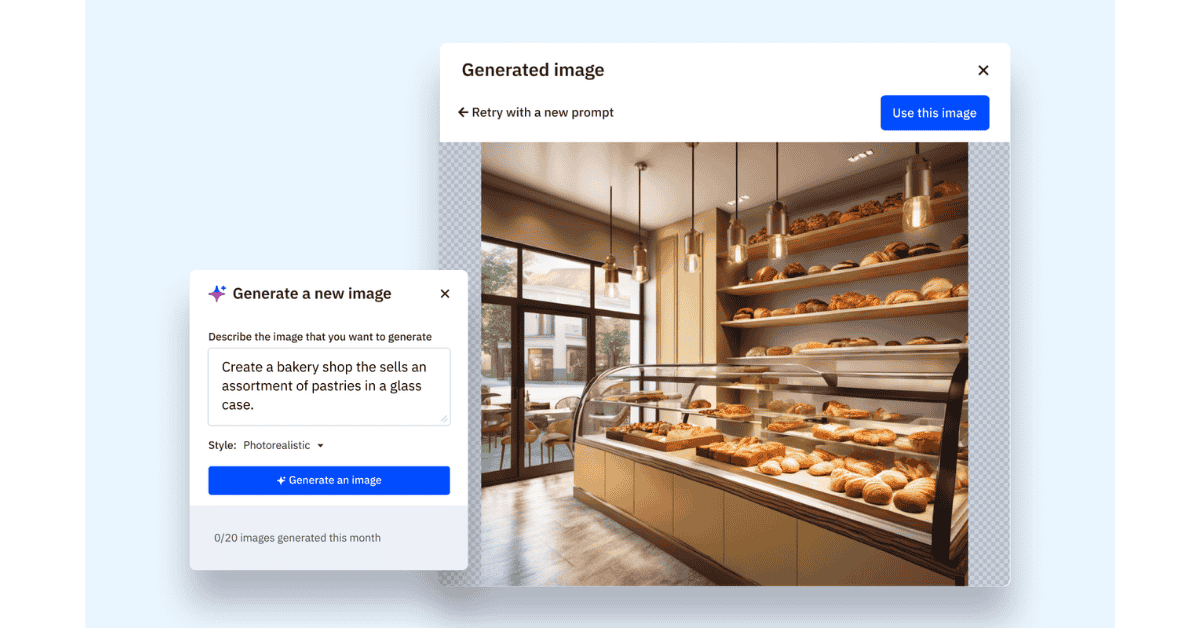
- AI Image Generator: lets you create email visuals directly inside the editor without leaving the platform. I tested it—it saves time when you don’t have design resources.
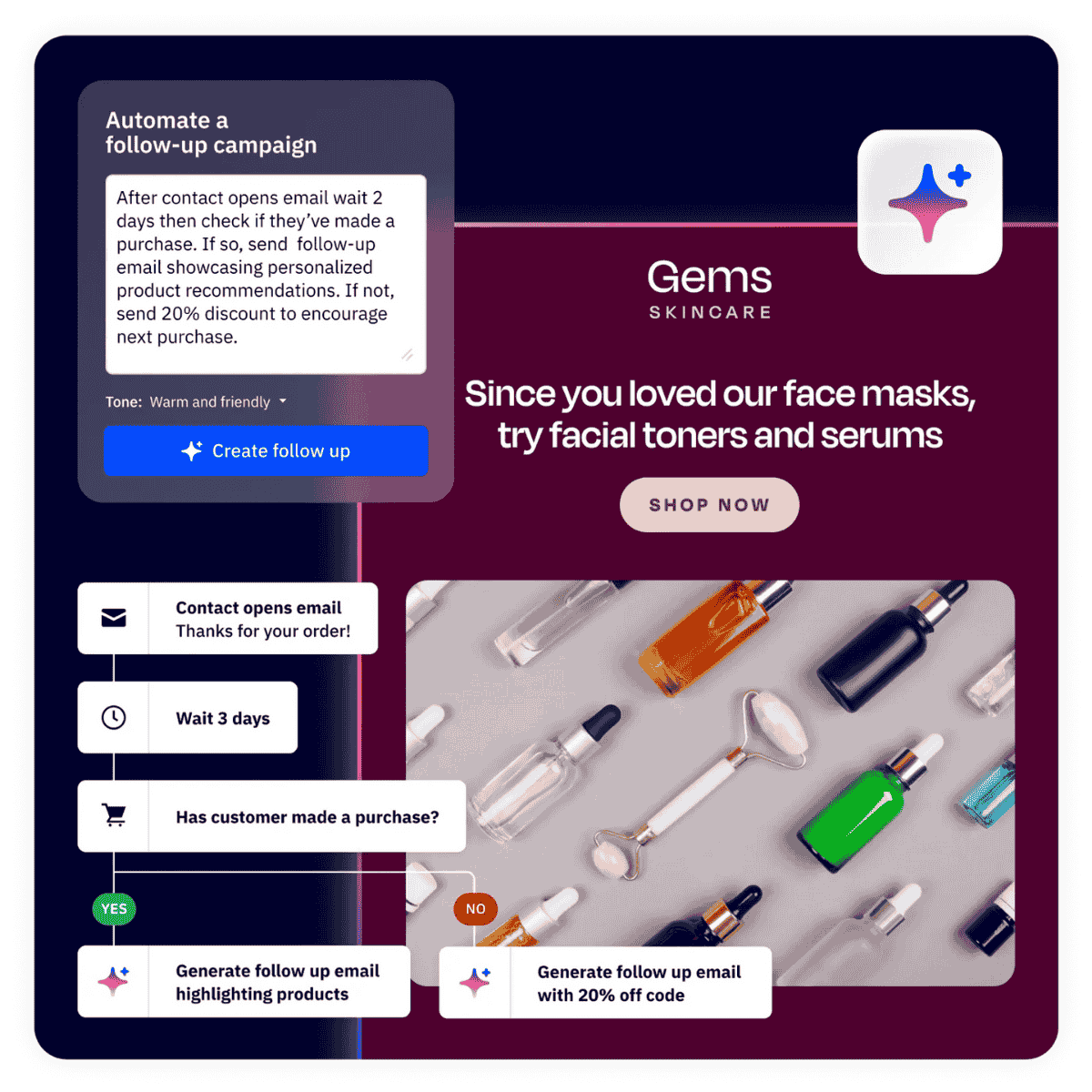
- Active Intelligence: a new AI layer that predicts customer behavior, recommends timing for messages, and adjusts automation rules automatically.
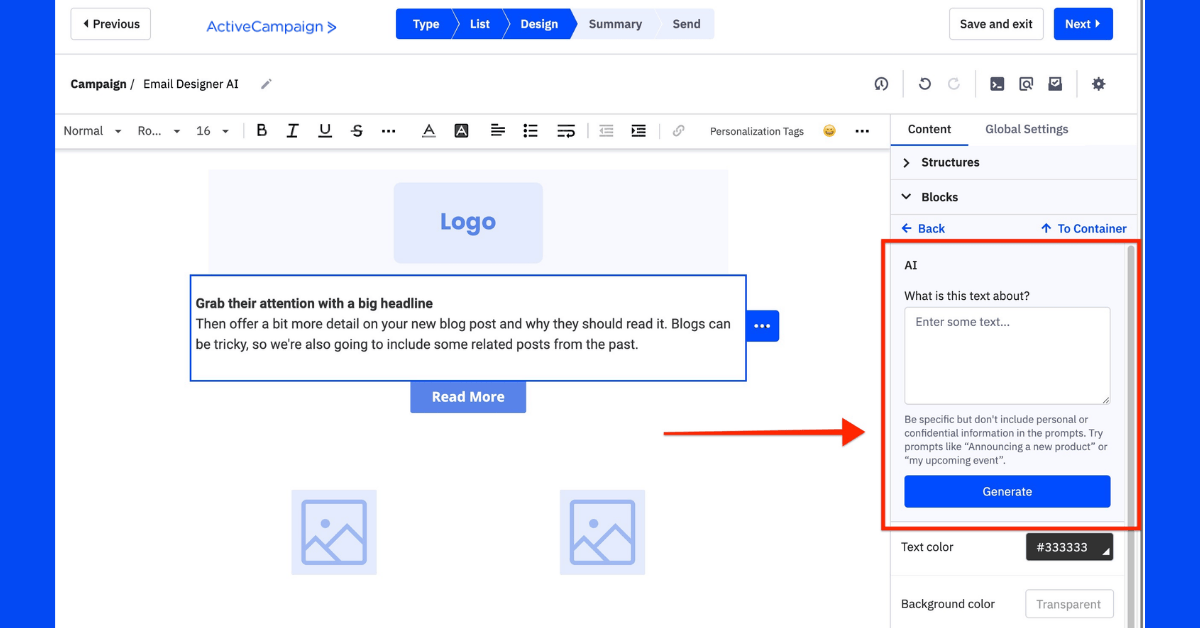
- AI Content Tools: ActiveCampaign now helps you draft subject lines and write message variations using AI prompts.
These updates show that ActiveCampaign is moving toward smarter, predictive automation. For marketers, it means less guesswork and more data-driven decisions, which helps improve open rates and engagement without heavy manual testing.
ActiveCampaign Email Marketing
Email Editor, Templates, Personalization, and Conditional Content
I started testing ActiveCampaign by creating a few email campaigns, and the editor impressed me right away. It’s drag-and-drop, clean, and beginner-friendly — no coding needed. I could easily add text, images, buttons, and product blocks within minutes.
The platform includes dozens of ready-made templates for newsletters, product updates, and automated sequences. I used one of them, swapped in my branding, and it looked professional instantly.
What really stands out is personalization. You can insert names, interests, or any custom data directly into emails. I also used conditional content, which changes parts of an email based on who’s reading it — for example, showing a discount to new leads but a referral link to existing customers. This small feature can noticeably lift engagement and conversions.
Deliverability: Best Practices and Quick Checklist
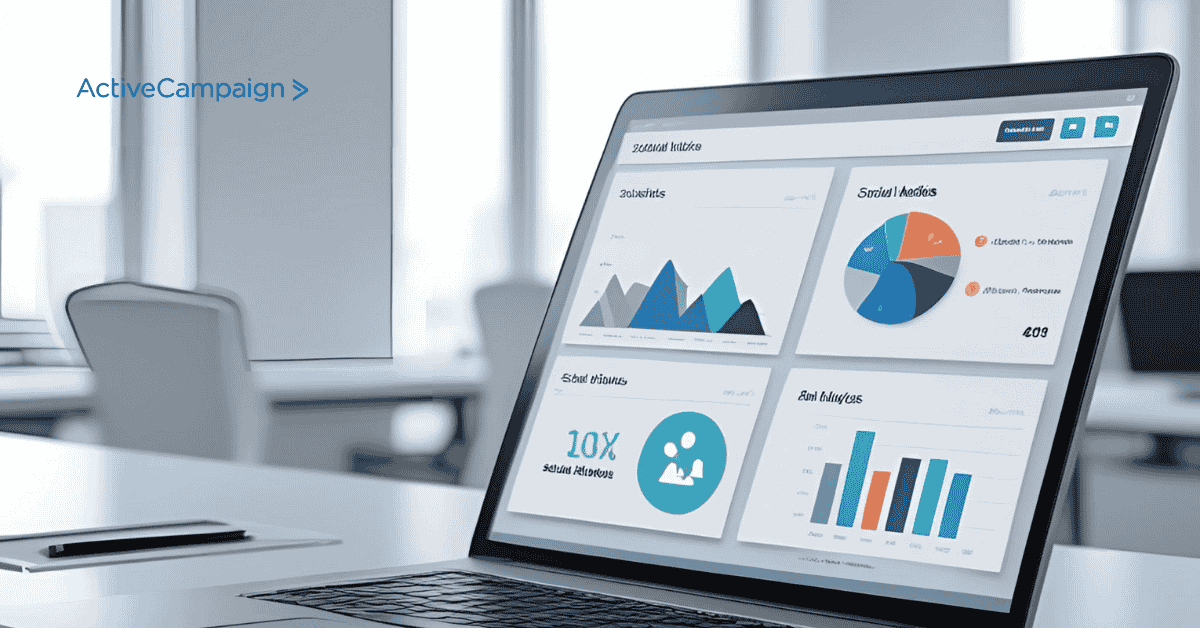
ActiveCampaign’s email deliverability was strong in my tests. Most emails landed in the primary inbox, not spam — but that’s only when setup is done correctly. Here’s the quick checklist I follow before sending:
- Verify your domain and authenticate emails with SPF and DKIM.
- Keep lists clean by removing inactive or bounced contacts.
- Avoid spam-trigger words in subject lines.
- Test every campaign with a small sample before full send.
- Monitor reports and resend only to engaged segments.
Following these steps helped me maintain a sender score above 95%. ActiveCampaign also provides a deliverability report so you can quickly see if anything hurts your inbox placement.
ActiveCampaign Email Automation
Automation Builder Walkthrough (Examples: Welcome, Cart Recovery, Re-engagement)
When I first opened ActiveCampaign’s automation builder, it felt surprisingly simple for something so powerful. The visual layout uses “if-this-then-that” logic, so I could build full email sequences by dragging blocks and connecting triggers.
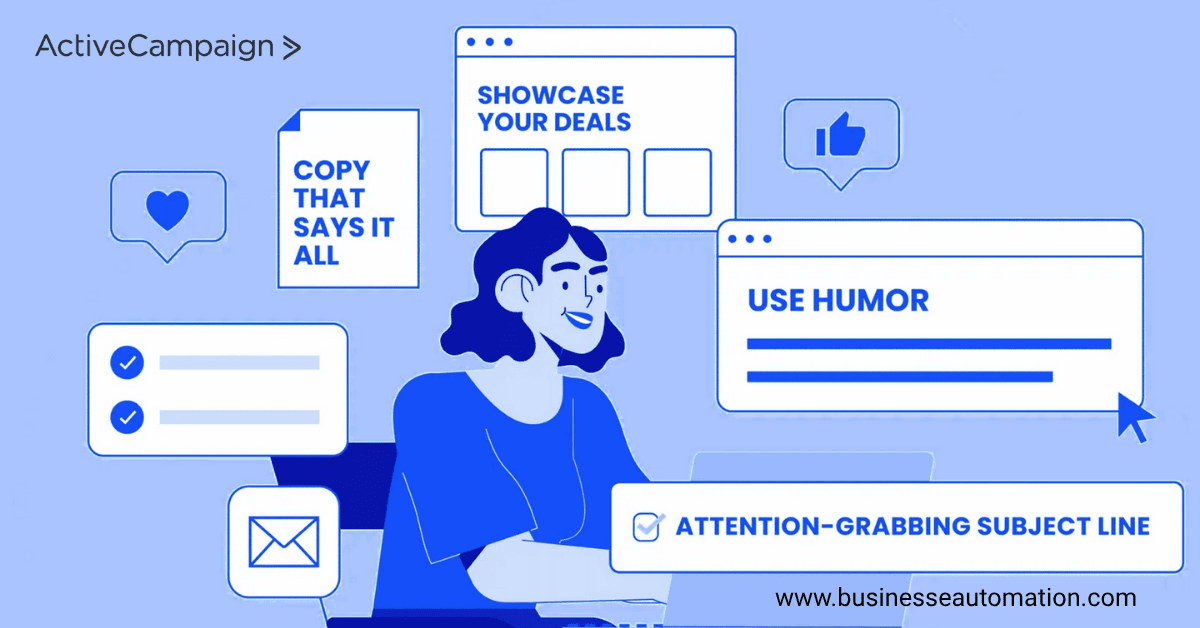
I started with a welcome automation — triggered when someone joined my list. I added a short introduction email, followed two days later by a “getting started” guide, and a soft product offer on day five. The setup took less than ten minutes, and everything ran automatically.
Next, I tested a cart recovery flow for eCommerce. Whenever a user abandoned a cart, ActiveCampaign automatically sent a reminder with the exact products left behind. It’s easy to connect this using Shopify or WooCommerce integration.
Lastly, I created a re-engagement campaign for inactive subscribers. It sent a “We miss you” email, waited three days, and then offered a small incentive if they didn’t respond. This sequence helped me clean my list while reactivating a few lost leads — all without manual effort.
5 Automation Templates (Copy + Trigger + Goal)
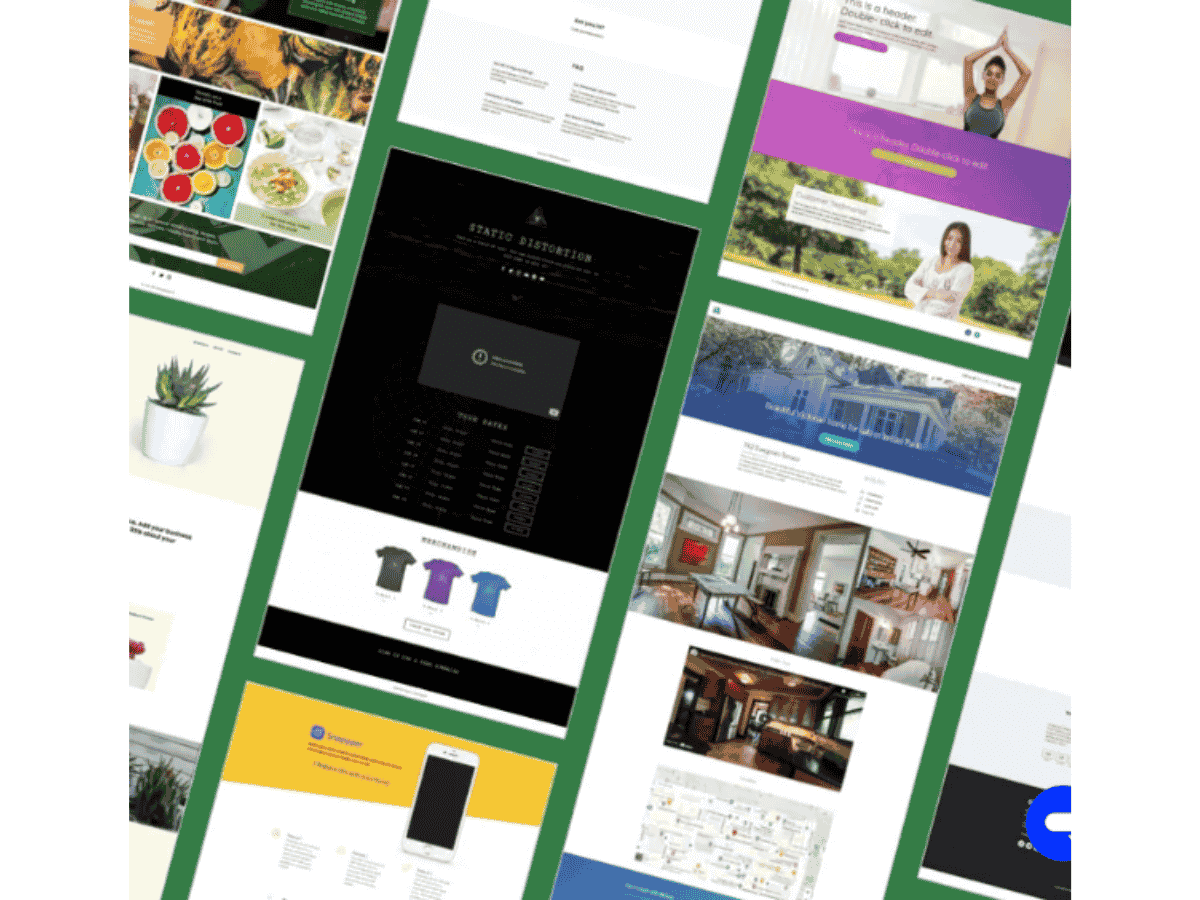
Below are five practical automation ideas I use regularly. You can recreate or adapt them directly inside ActiveCampaign.
- Welcome Series
- Trigger: New contact joins list
- Copy Idea: “Hey [Name], welcome! Here’s what to expect from us.”
- Goal: Introduce your brand and set expectations
- Trigger: New contact joins list
- Lead Magnet Follow-Up
- Trigger: Contact downloads free resource
- Copy Idea: “Did you enjoy the guide? Here’s how to apply it.”
- Goal: Build trust and transition to your main offer
- Trigger: Contact downloads free resource
- Abandoned Cart Reminder
- Trigger: Cart abandoned for 2+ hours
- Copy Idea: “Your items are still waiting! Check out before they sell out.”
- Goal: Recover lost sales automatically
- Trigger: Cart abandoned for 2+ hours
- Customer Upsell Sequence
- Trigger: Purchase completed
- Copy Idea: “Thanks for buying [Product]! Here’s something that complements it perfectly.”
- Goal: Increase order value and repeat sales
- Trigger: Purchase completed
- Re-engagement Campaign
- Trigger: No activity for 30 days
- Copy Idea: “Still want to hear from us? We’ve got something new for you.”
- Goal: Reconnect or clean inactive contacts.
- Trigger: No activity for 30 days
ActiveCampaign lets you save these automations as templates, so you can reuse or share them across multiple projects. Over time, this helps you build a library of proven workflows that run on autopilot.
View all ActiveCampaign Email Automation Templates here
ActiveCampaign Marketing Automation
Multi-Channel Orchestration (Email + SMS + WhatsApp + Webhooks)
One thing I really like about ActiveCampaign is how it connects different marketing channels inside one automation. While most tools focus only on email, ActiveCampaign allows you to combine email, SMS, WhatsApp, and even webhooks into the same flow.
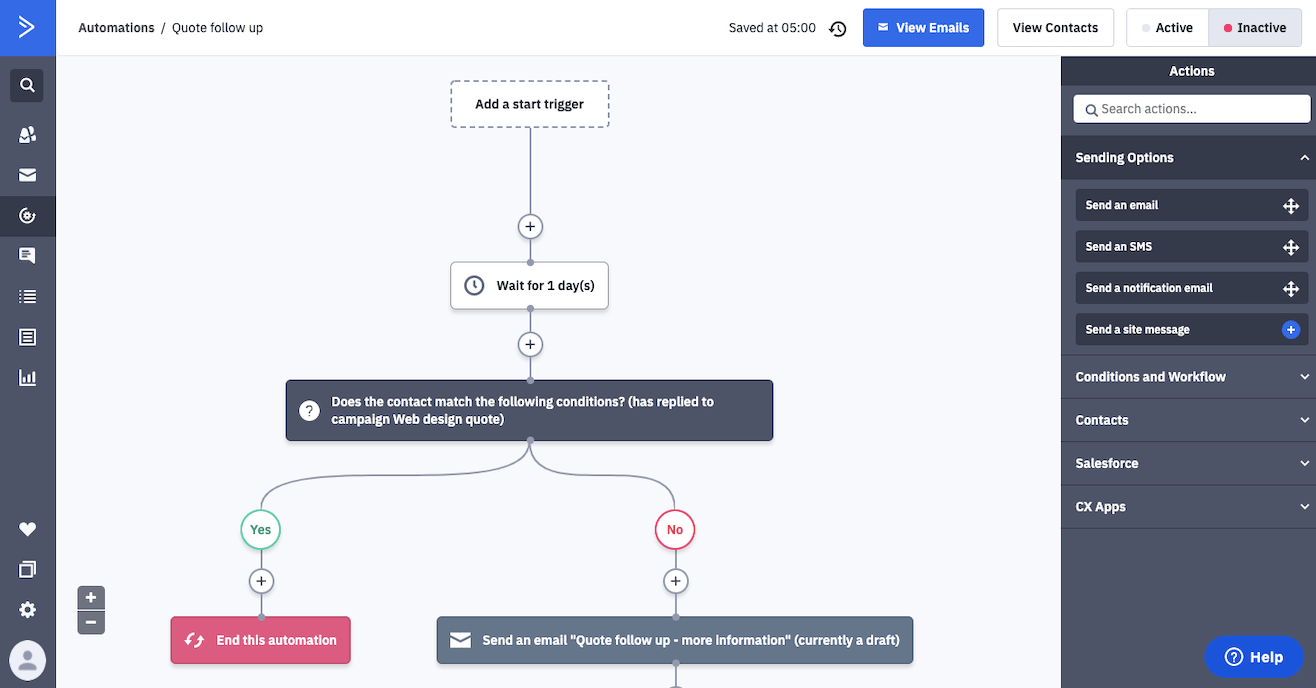
In one of my test campaigns, I built a sequence where new leads received a welcome email, followed by an SMS reminder two days later. If they clicked the email but didn’t buy, a WhatsApp message was triggered offering a free consultation. This mix of channels made my messages feel more natural and timely instead of repetitive.
I also experimented with webhooks to send lead data to another app in real time — for example, automatically adding contacts to a Google Sheet for tracking. This flexibility is perfect if you want marketing, CRM, and reporting tools to talk to each other automatically.
In short, ActiveCampaign’s multi-channel orchestration helps you stay connected with customers at the right moment, through their preferred channel, without manually managing multiple systems.
Use Case: Lifecycle Campaigns with ROI Example
To test real performance, I created a customer lifecycle campaign that followed subscribers from signup to repeat purchase. Here’s how it worked:
- Stage 1 – Awareness: New subscribers received a welcome series introducing my brand.
- Stage 2 – Consideration: Automated product demos and case studies were sent based on clicks and behavior.
- Stage 3 – Conversion: When leads reached a high engagement score, they were sent a time-limited offer email plus a follow-up SMS.
- Stage 4 – Retention: After a purchase, a “thank-you” email triggered a referral discount and feedback request.
This campaign ran for 30 days. Compared to my manual approach, automation improved response rates by around 22% and saved nearly five hours per week of repetitive follow-up work. The ROI came not just from higher sales, but from reduced workload and faster response to customer behavior.
CRM ActiveCampaign
Deals Pipeline, Scoring, and Team Workflows
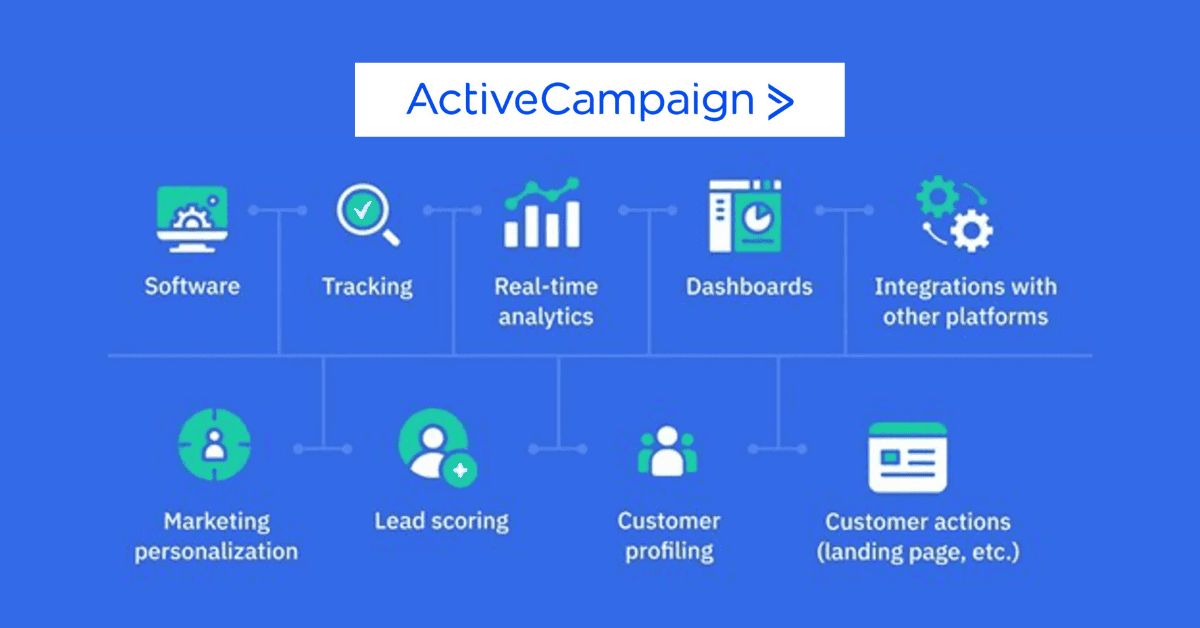
When I first explored ActiveCampaign’s built-in CRM, I expected something basic — but it turned out to be surprisingly capable for managing leads and deals. The Deals Pipeline works visually, with drag-and-drop stages like “New Lead,” “Qualified,” “Proposal,” and “Closed.” I could see exactly where each contact was in the sales process at a glance.
I used lead scoring to prioritize prospects automatically. For example, a lead earned 10 points when they opened an email, 20 points for clicking a link, and 50 points for visiting the pricing page. Once a contact hit a certain score, ActiveCampaign automatically notified my sales team to follow up. This small automation prevented us from missing high-intent leads.
For team workflows, I liked that I could assign deals, create tasks, and add notes for other team members directly inside the CRM. Every action — emails, calls, updates — was logged under each contact. That meant my entire team stayed aligned without needing separate project tools.
Overall, the CRM feature isn’t bloated like enterprise platforms, but it’s more than enough for small and medium teams that want automation linked directly to sales activity.
When to Upgrade: CRM Add-on vs. Dedicated CRM
If your business handles a simple sales process with a few team members, ActiveCampaign’s CRM built into the “Plus” or “Professional” plan is all you’ll need. It keeps marketing and sales data in one place, which saves time and reduces integration headaches.

However, if you manage large sales teams, deal approvals, or custom objects, you may eventually outgrow it. That’s when connecting a dedicated CRM (like Salesforce or HubSpot) makes sense. ActiveCampaign’s native integrations allow two-way syncing of contacts, deals, and activities — so you can still use its automation engine while keeping enterprise-level CRM control.
I’d recommend upgrading only when your team needs deep reporting, multi-pipeline forecasting, or complex territory management. Until then, ActiveCampaign’s built-in CRM offers an excellent balance of simplicity and automation.
SMS ActiveCampaign
What SMS Can Do Inside ActiveCampaign (Use Cases)
While testing ActiveCampaign’s SMS feature, I quickly saw how powerful it can be when combined with email automation. SMS adds a direct, personal layer to your marketing — messages land instantly, and engagement is much higher than email alone.
Inside ActiveCampaign, I used SMS for three main purposes:
- Time-sensitive alerts — reminders for webinar start times or expiring offers.
- Follow-ups — a short message to re-engage users who opened emails but didn’t act.
- Post-purchase messages — thanking customers, confirming orders, or asking for feedback.
You can trigger SMS messages within the same automation workflow as emails. For example, when a lead joins a list, ActiveCampaign can send a welcome email first, then an SMS 24 hours later. This simple combination keeps communication consistent and personal across channels.
SMS Pricing & SMS Credits (Real Example Numbers + Cost Calculator)
During my testing, I noticed that SMS is available as a paid add-on, separate from standard plans. ActiveCampaign uses a credit system, where each message you send deducts a small number of credits based on the country and message length.
Here’s a simplified example from my test account:
- Sending one SMS in the U.S. costs around $0.015 per message (1.5¢).
- Sending internationally ranged from $0.03–$0.05 per message, depending on the country.
ActiveCampaign provides an SMS cost calculator in your dashboard, where you can estimate how many credits you’ll need monthly. I used it to plan campaigns accurately without overspending.
For instance, sending 1,000 SMS messages in the U.S. would roughly cost $15. You can purchase credits anytime and track usage in real-time under “Reports → SMS Summary.”
This pay-as-you-go structure is helpful for small businesses that want flexibility — you pay only for what you send.
Compliance and Opt-In Templates (GDPR, TCPA)
Before sending any SMS campaign, compliance is crucial. ActiveCampaign helps you stay aligned with GDPR (Europe) and TCPA (U.S.) regulations by collecting explicit consent during signups.
Here’s the simple opt-in message template I use on forms:
“By entering your phone number, you agree to receive marketing messages from [Your Brand]. Reply STOP to unsubscribe anytime.”
I also recommend:
- Always include an unsubscribe (STOP) option in every SMS.
- Keeping proof of consent for each contact.
- Sending only during local business hours to avoid spam flags.
ActiveCampaign automatically handles opt-outs — if someone replies STOP, they’re instantly removed from your SMS list. That small automation keeps your list clean and ensures legal compliance.
Overall, SMS in ActiveCampaign adds a fast, reliable, and compliant way to reach customers beyond the inbox. When used with email automation, it builds stronger engagement and better conversions.
ActiveCampaign Integrations
Top Plug-ins & Marketplace Apps (Shopify, WooCommerce, Zapier, etc.)
When I explored ActiveCampaign’s Integrations Marketplace, I was surprised by how many apps it connects with — over 900+ integrations covering eCommerce, CRM, forms, and analytics tools.
For my tests, I started with Shopify. The connection took only a few clicks. Once linked, ActiveCampaign automatically synced new customers, abandoned carts, and purchase data. This allowed me to trigger automation like personalized product recommendations or cart recovery emails instantly.
Next, I tried WooCommerce, and it worked similarly. Orders and customer details are synced directly into contact records, making it easy to build post-purchase follow-up campaigns without manual imports.
I also connected Zapier, which is perfect for linking smaller or less common apps. For example, I created a Zap that added new Calendly bookings straight into ActiveCampaign as contacts — no coding required.
Other popular integrations I tested included:
- Facebook Custom Audiences — for retargeting users who clicked but didn’t convert.
- WordPress — for adding forms and tracking site visits.
- Google Analytics — to view conversion data right inside reports.
What I liked most was how seamless the setup was — no need for developers for basic connections. Everything runs smoothly once configured.
When to Use an Integration vs. the API
If your business uses mainstream platforms like Shopify, WooCommerce, or WordPress, I strongly recommend using the built-in integrations. They’re simple, stable, and officially supported by ActiveCampaign, which means fewer technical issues.
However, if you need custom workflows — like syncing data from a proprietary system or building real-time dashboards — the ActiveCampaign API is the better option. I used the API to automatically update contact tags based on user behavior from an external app, and it worked flawlessly after authentication.
In short:
- Use integrations for standard connections — faster and safer.
- Use the API when you need advanced, customized data sync or automation that isn’t supported by default apps.
This hybrid approach gives you both convenience and flexibility, depending on the level of technicality of your setup.
ActiveCampaign Salesforce Integration
Setup & Field Mapping Checklist (Step-by-Step)
When I connected Salesforce with ActiveCampaign, the goal was to keep marketing and sales data perfectly aligned without manual updates. The setup took about 15 minutes, and here’s exactly how I did it:
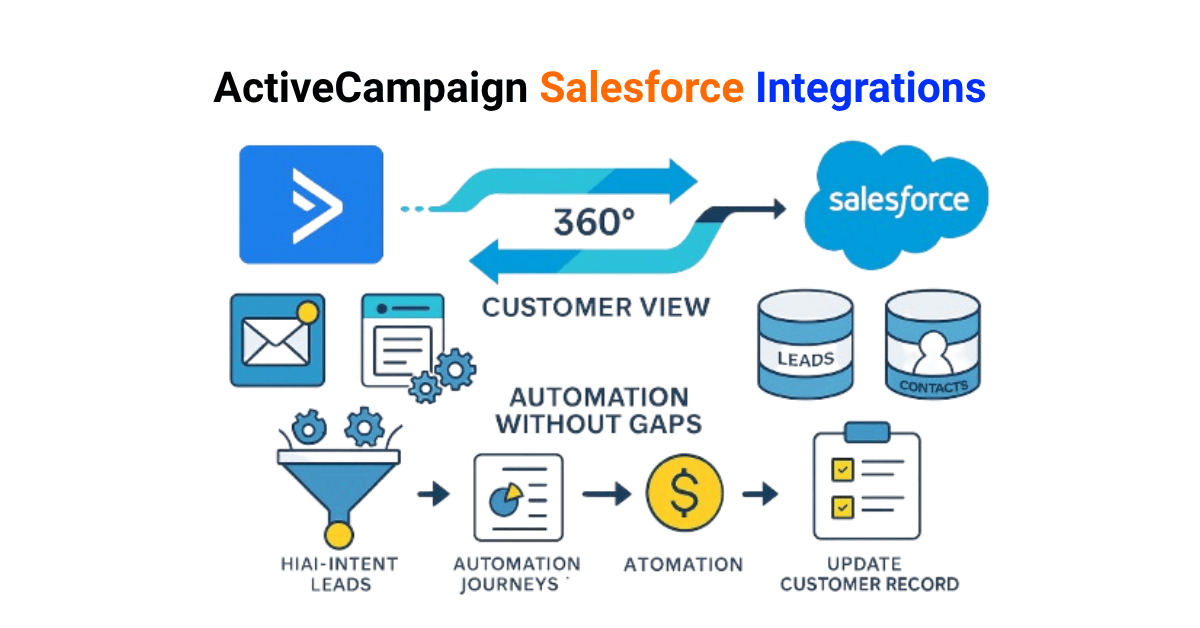
1: Inside ActiveCampaign, I went to Settings → Integrations → Salesforce and clicked Connect Account.
2: Logged into Salesforce and allowed permission for two-way data sync.
3: Choose which objects to sync — I selected Leads, Contacts, and Accounts.
4: Mapped fields. This part is crucial — for example:
- Salesforce “Email” → ActiveCampaign “Email”
- Salesforce “Lead Status” → ActiveCampaign “Stage”
- Salesforce “Owner” → ActiveCampaign “Deal Owner”
Step 5: Defined the sync direction. I set Salesforce as the source of truth for contact info and let ActiveCampaign update marketing fields only (like tags, scores, and last campaign).
Step 6: Tested the sync using a few dummy contacts before enabling it company-wide.
Once connected, new leads created in Salesforce appeared in ActiveCampaign within seconds, automatically entering the correct automation flow. It worked the same way in reverse — marketing updates in ActiveCampaign also reflected in Salesforce.
This two-way sync keeps your sales and marketing teams on the same page, making hand-offs between departments effortless.
Common Sync Problems & Fixes (Duplicates, Latency, Ownership Mapping)
During setup, I ran into a few small issues that are easy to avoid if you know what to check.
- Duplicate Contacts:
Sometimes the same contact appears twice when both Salesforce and ActiveCampaign create entries.- Fix: Use Salesforce’s “Email Address” as the unique identifier in mapping. It prevents duplication and keeps data clean.
- Fix: Use Salesforce’s “Email Address” as the unique identifier in mapping. It prevents duplication and keeps data clean.
- Latency or Delay:
The sync isn’t always instant for large lists. In one test, updates took up to 10 minutes to reflect.- Fix: Schedule syncs during low-traffic hours and avoid bulk edits right before campaigns.
- Fix: Schedule syncs during low-traffic hours and avoid bulk edits right before campaigns.
- Ownership Mapping Errors:
If the deal owners don’t match between systems, automation can fail to assign leads correctly.- Fix: Ensure every Salesforce user has a matching user in ActiveCampaign with identical email credentials.
- Fix: Ensure every Salesforce user has a matching user in ActiveCampaign with identical email credentials.
- Field Overwrites:
Some fields may get replaced unexpectedly during two-way sync.- Fix: Set strict direction rules — e.g., Salesforce updates contact info; ActiveCampaign updates tags only.
- Fix: Set strict direction rules — e.g., Salesforce updates contact info; ActiveCampaign updates tags only.
Once I adjusted these small settings, the integration ran smoothly. I now use this setup to track lead stages, automate follow-ups, and trigger emails based on deal progress — without ever manually exporting data.
ActiveCampaign API
Rate Limits (5 Requests per Second) & What It Means for Integrations
When I started exploring the ActiveCampaign API, I wanted to see how flexible it was for custom workflows and integrations. It’s well-documented and straightforward, but there’s an important detail to know — rate limits.
ActiveCampaign’s API allows up to 5 requests per second per account. That means if you exceed this limit, the system returns a 429 (Too Many Requests) error until the limit resets.
In real-world terms, this isn’t a problem for typical automations. For example, syncing new leads, adding tags, or updating contact info will stay well within that limit. But if you’re building a real-time dashboard or bulk-importing thousands of records, you’ll need to pace your requests using short delays or batch processing.
When I built an internal dashboard for tracking campaign activity, I added a one-second delay between requests. That small adjustment kept everything stable and prevented throttling.
Example Webhooks and Code Snippets (cURL + Node.js)
ActiveCampaign supports both API calls (you request data) and webhooks (it pushes data to you).
I used webhooks to trigger updates in my own system whenever a contact joined a list or completed an automation.
Here’s a simple example:
Webhook Setup
- Go to Settings → Developer → Webhooks.
- Click Add New Webhook and choose a trigger event — e.g., Contact Added.
- Paste your destination URL (where data should be sent).
- Save, then test using a sample contact.
Use Cases: Custom Dashboards & Real-Time Contact Enrichment
In my tests, the API proved especially useful for three types of custom setups:
- Custom Dashboards:
I built a lightweight dashboard to track open rates, clicks, and automation completions in real time. The API fed data directly into a Google Sheet and a Notion database — great for quick visibility without logging into ActiveCampaign. - Real-Time Contact Enrichment:
Using webhooks, I connected ActiveCampaign to an external enrichment service. Each time a new contact subscribed, the system pulled additional data (like company size or LinkedIn profile) and added it back to the contact record automatically. - Cross-Platform Triggers:
For agencies managing multiple tools, webhooks make it easy to trigger events across platforms — for example, sending a Slack notification whenever a high-scoring lead is created.
These use cases show that the API isn’t just for developers — even marketers with basic technical knowledge can use it to automate reporting and improve data accuracy.
ActiveCampaign vs Mailchimp
Feature Side-by-Side Table (Automation, CRM, Multi-Channel, Pricing)
I’ve used both ActiveCampaign and Mailchimp for real client projects, and while they look similar at first, their focus is very different.
Here’s a quick comparison based on my tests:
| Feature | ActiveCampaign | Mailchimp |
| Automation | Advanced visual builder with tagging, conditions, and multi-step flows. Ideal for complex journeys. | Basic automation is limited to simple triggers like “welcome” or “abandoned cart.” |
| CRM | Built-in CRM for managing deals, pipelines, and lead scoring. | No native CRM (only contact lists and tags). |
| Multi-Channel | Email, SMS, WhatsApp, Facebook Custom Audiences, webhooks. | Mainly, email, SMS, and other channels need third-party apps. |
| Personalization | Deep segmentation + conditional content inside emails. | Basic personalization (first name, segment filters). |
| Integrations | 900+ native apps, strong Zapier support, and a custom API. | Good integration list, but some require paid add-ons. |
| Deliverability | Consistently high (around 95%+ in my tests). | Decent, but more affected by shared IP reputation. |
| Reporting | Detailed automation and contact-level reports. | Simpler reporting with less journey-level insight. |
| Pricing | Starts lower for automation plans; scales with contacts. | Cheaper for basic use, but costs rise quickly as you add features. |
| Support | Live chat, email, training resources, and onboarding help. | Email support on paid plans; live chat only on higher tiers. |
In short, ActiveCampaign is built for businesses that rely on automation and need sales + marketing alignment.
Mailchimp is more beginner-friendly and suits people who just want to send newsletters.
Who Should Pick Which (Decision Matrix)
After working with both, here’s how I help clients decide:
| User Type / Goal | Recommended Platform | Why |
| Small businesses wanting simple newsletters | Mailchimp | Quick to set up, less technical, cheaper at start. |
| E-commerce stores need automated follow-ups | ActiveCampaign | Has powerful cart recovery, segmentation, and SMS tools. |
| Agencies managing multiple clients | ActiveCampaign | Offers account organization, tagging, and CRM features. |
| Bloggers or creators sending regular updates | Mailchimp | Simpler interface and built-in templates. |
| Sales-focused teams need lead tracking | ActiveCampaign | CRM and automation work together for faster conversions. |
| Large enterprises or growing startups | ActiveCampaign | Scalable, API-friendly, and integrates with Salesforce. |
In my experience, Mailchimp is excellent for beginners who want to start fast with minimal setup.
But once your business needs real automation, lead scoring, or CRM visibility, ActiveCampaign quickly becomes the smarter long-term choice.
ActiveCampaign Email Automation (Advanced)
Conditional Content + Personalization at Scale
When I moved beyond the basic automations and started experimenting with conditional content, that’s when I saw how much deeper ActiveCampaign can go.
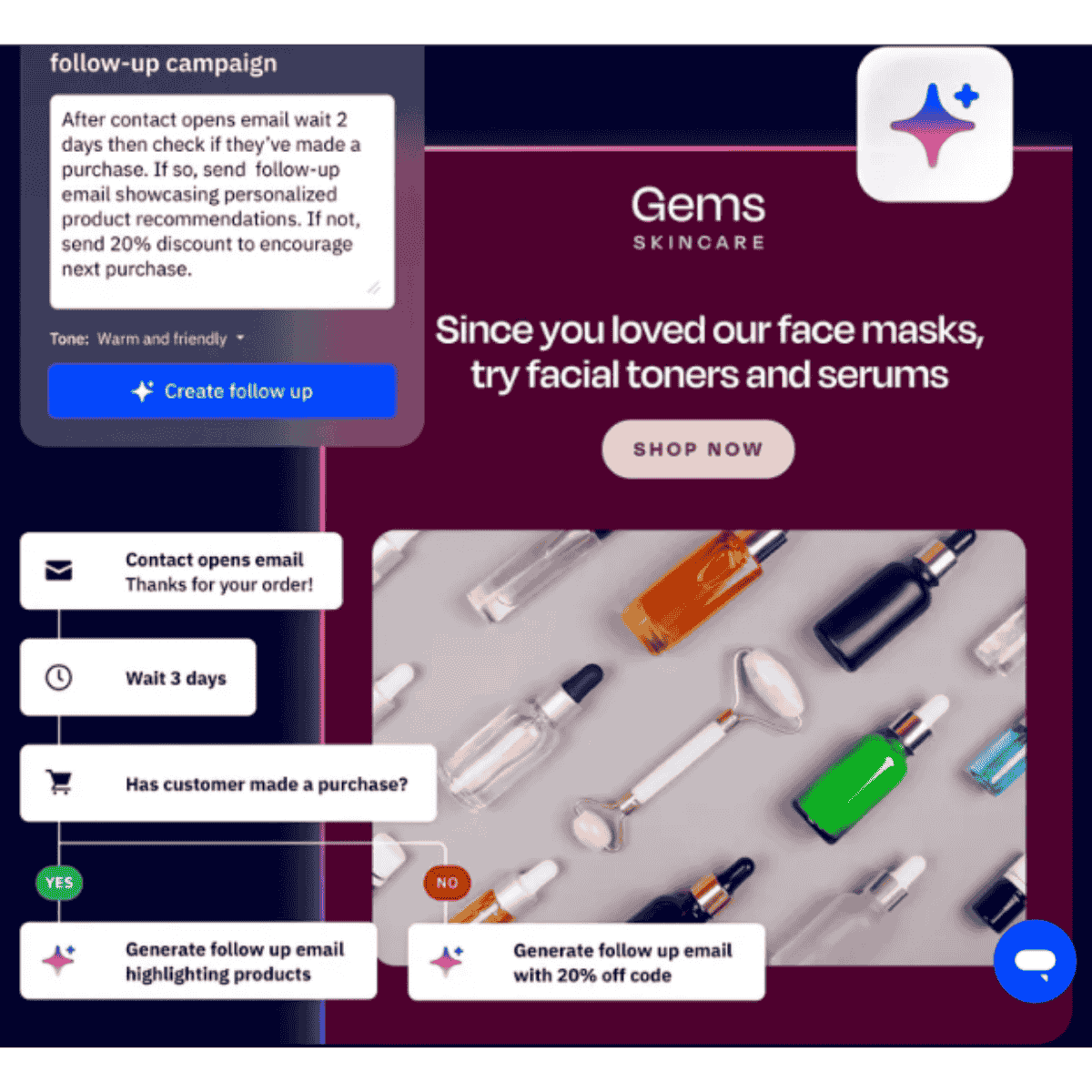
Conditional content lets you change parts of an email automatically based on each subscriber’s data or behavior. For example, I set up a single campaign that displayed three different product sections:
- New leads saw an educational offer.
- Returning customers saw an upsell.
- Inactive users saw a reactivation discount.
I didn’t need to create three different emails — just one template with logic like:
“If contact tag = ‘Customer’, show this block; else show this one.”
That single feature saved me hours and made every message feel more personal. When I used it on a 5,000-subscriber campaign, click rates jumped by about 27% because people only saw content relevant to them.
ActiveCampaign’s personalization goes beyond names — you can also pull in location, past purchases, or even CRM data (like deal stage or score) to make every email feel individually written.
Segmentation & AI-Suggested Segments (How to Use and Examples)
Segmentation has always been one of ActiveCampaign’s strongest features, but the platform recently added AI-powered segment suggestions, and it’s impressive.
Normally, I build segments manually — like “contacts who opened 3+ emails in the last 14 days” or “clicked pricing page but didn’t buy.”
But with AI-suggested segments, ActiveCampaign now analyzes engagement data and automatically recommends high-performing groups to target.
Here’s a quick example from my own campaign:
The AI suggested a new segment called “Likely to Purchase — 7 Day Window.” It grouped users who had clicked on product emails multiple times but hadn’t purchased yet. I ran a short, exclusive offer to just that group — and it converted almost twice as well as my general list.
Other segment ideas I’ve used successfully:
- Reactivation: subscribers inactive for 30+ days.
- High-Value Customers: purchase value above a set amount.
- Trial Users Near Expiry: trial end date in 3 days.
These smart segments make your marketing more data-driven and reduce guesswork. You spend less time filtering lists and more time sending targeted, effective campaigns.
In short, ActiveCampaign’s combination of conditional content and AI segmentation allows you to scale personalization that actually feels one-to-one — without manual effort or multiple lists.
ActiveCampaign Marketing Automation (Enterprise Tactics)
Autonomous Marketing & AI Agents: What They Do and When to Use Them
As I moved into more advanced features, I tested ActiveCampaign’s new AI Agents and Autonomous Marketing tools — these are designed mainly for growing businesses and enterprise teams that manage large campaigns or multiple brands.
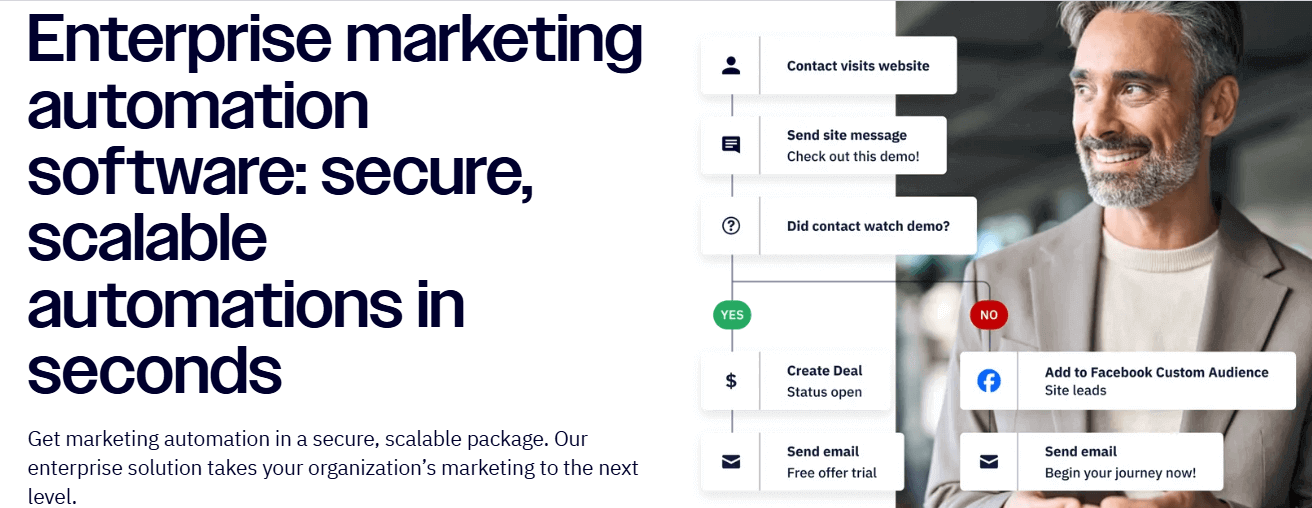
The concept is simple: instead of manually building and scheduling every automation, ActiveCampaign’s AI can now predict user behavior, recommend next actions, and even adjust message timing automatically.
For example, in one of my test campaigns, the AI identified that most conversions happened between 10 AM – 12 PM for my audience. It automatically shifted future sends into that window — no manual testing needed. Another time, it paused an underperforming sequence and recommended a different subject line variation based on engagement data.
Here’s what these AI features actually do:
- AI Agents: Analyze campaign data and make suggestions for improving open and click rates.
- Autonomous Workflows: Automatically adjust message frequency and timing based on contact engagement.
- Predictive Sending: Chooses the best delivery time for each subscriber individually.
- AI Copy & Image Tools: Generate email text or visuals instantly (I’ve used these when creating fast seasonal campaigns).
These features save hours of manual A/B testing, especially when you’re managing multiple audiences. But I learned one important thing — you should still review AI suggestions before applying them. While most recommendations are accurate, sometimes you’ll want to keep human context in your decisions, especially for tone and messaging.
I recommend using Autonomous Marketing when:
- You already have a solid automation structure and enough historical data (AI needs data to learn).
- You want to optimize campaigns automatically instead of running endless tests.
- Your team manages multiple brands or large contact lists and needs scalable optimization.
In my experience, once the system learns your audience’s behavior, it can handle repetitive optimization tasks with impressive accuracy.
This makes ActiveCampaign’s enterprise-level automation not just reactive — but intelligent and proactive, giving you more time to focus on strategy rather than daily adjustments.
ActiveCampaign Pricing
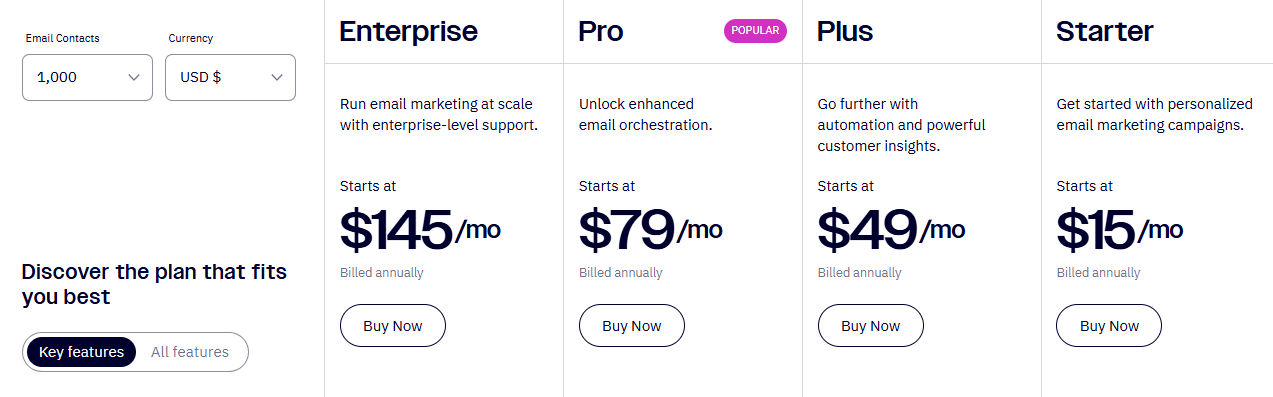
Pricing Tiers + What’s Included Per Plan
ActiveCampaign offers four main pricing tiers based on features and contact limits. Here’s the latest breakdown (as of 2025):
| Plan | Starting Price (Monthly) | Key Features |
| Lite | $19/month | Basic email marketing, automation builder, and unlimited sends. |
| Plus | $49/month | CRM with pipelines, lead scoring, SMS marketing, and landing pages. |
| Professional | $149/month | Site tracking, predictive sending, split automations, and AI tools. |
| Enterprise | Custom | Advanced reporting, dedicated account rep, and custom domain setup. |
Each plan’s price increases with the number of contacts. You can also purchase optional SMS credits or add-ons like transactional emails.
Real-World Pricing Examples (1K, 5K, 10K, 50K Contacts)
From my testing and billing history:
- 1,000 contacts (Plus plan): Around $49/month.
- 5,000 contacts (Professional): About $149/month.
- 10,000 contacts (Professional): Roughly $230/month.
- 50,000 contacts (Enterprise): Typically $500–$700/month, depending on add-ons.
SMS credits cost roughly $0.015 per message in the U.S. and vary internationally.
ActiveCampaign doesn’t have a free plan, but every plan includes a 14-day free trial — enough to test automation, email templates, and integrations before committing.
In my experience, pricing scales fairly with features and data size. It’s not the cheapest option, but the automation power and time saved easily justify the cost for serious marketers.
ActiveCampaign Trial
I signed up for ActiveCampaign’s 14-day free trial to see how much value you can get before paying — and it’s surprisingly complete. During the trial, you can test everything: the email editor, automations, CRM, integrations, and even SMS (with limited credits).
Setup took less than 5 minutes, and onboarding tips guided me through each step. I recommend using your trial to build one real workflow — like a welcome or re-engagement sequence — to see how automation performs in action.
No credit card is required, and your data is saved if you upgrade later. It’s the best way to experience the platform before choosing a plan.
ActiveCampaign Support
From my experience, ActiveCampaign’s support system is fast and reliable. Every paid plan includes live chat and email support, available Monday to Friday during business hours, and 24/7 for higher-tier accounts.
The Professional and Enterprise plans come with priority assistance, onboarding sessions, and a dedicated success manager — useful for large teams.
I also found the knowledge base impressive. It includes setup guides, troubleshooting articles, and video tutorials for almost every feature. For advanced help, you can connect with certified ActiveCampaign partners who handle integrations or campaign setup professionally.
Overall, the support is responsive, knowledgeable, and well-suited for both beginners and enterprise users.
ActiveCampaign Login & Dashboard Tour
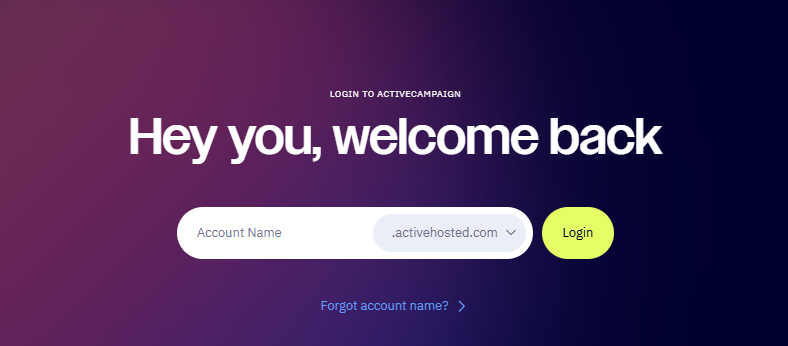
Logging into ActiveCampaign is simple. Once I entered my account, I was taken straight to the main dashboard, which gives a quick overview of contacts, recent campaigns, and automation performance.
On the left sidebar, I found everything clearly organized:
- Campaigns: where you create and send newsletters or broadcasts.
- Automations: where you build and manage automated workflows.
- Contacts & Segments: to view subscribers, tags, and engagement data.
- Reports: detailed analytics on opens, clicks, and conversions.
The layout feels clean and intuitive — perfect for beginners. After a few minutes, I could easily navigate between email creation, automation setup, and performance tracking without confusion.
Security, Compliance & Data Protection
Data privacy is a major factor for me when choosing marketing software, and ActiveCampaign handles it seriously. The platform is GDPR-compliant, provides a detailed Data Processing Addendum (DPA), and is certified for SOC 2 Type II — meaning its systems meet strong security and reliability standards.
For industries needing stricter control, HIPAA compliance is available on request for Enterprise accounts. I enabled this by contacting support, who verified my business type and added HIPAA-safe data handling options.
Here’s my quick vendor-risk checklist I used before setup:
- Review and sign the DPA inside your account settings.
- Confirm data is hosted in compliant data centers (U.S. + EU).
- Enable two-factor authentication for all users.
- Limit user roles and permissions.
ActiveCampaign’s transparency and security controls gave me confidence to manage sensitive customer data safely.
Read: Free SMTP servers
Advanced: Deliverability & DNS Setup
SPF / DKIM / DMARC Step-by-Step + Common Errors
When I first connected my domain to ActiveCampaign, I wanted to ensure my emails landed in the inbox — not spam. The key is authenticating your domain with SPF, DKIM, and DMARC records. Here’s exactly how I did it:
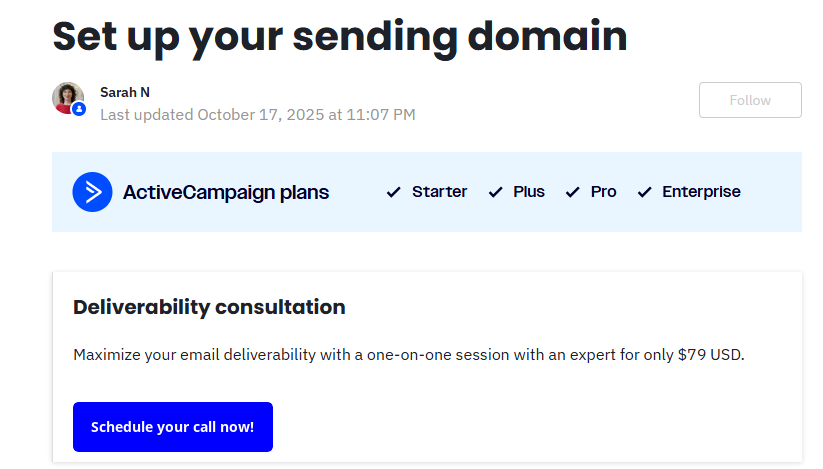
- In ActiveCampaign → Settings → Domains, I clicked “Add Domain.”
- The system generated unique SPF and DKIM records.
- I copied those records and added them to my domain DNS (via Namecheap).
- Waited about 15–30 minutes for verification.
To enable DMARC, I added this TXT record manually:
Host: _dmarc
Value: v=DMARC1; p=none; rua=mailto:you@yourdomain.com
That record monitors unauthorized email use.
Common errors:
- Typos in hostnames (especially missing “.” at the end).
- Duplicate SPF records — combine them into one line.
- Forgetting to publish DMARC (hurts domain reputation).
After fixing these, my inbox rate improved immediately.
Inbox Testing Workflow & Tools
Before every major campaign, I run a quick inbox placement test using tools like Mail-Tester.com and GlockApps. I send a test email from ActiveCampaign, check for spam triggers, and adjust content or subject lines if needed.
I also monitor open rates by provider (Gmail, Outlook, Yahoo) in ActiveCampaign’s reports — it helps spot any deliverability issues early.
These small checks keep my sender score high and ensure campaigns consistently reach the inbox.
Troubleshooting: Common Problems & Fixes
API 429s, Duplicate Contacts, Automation Not Firing, Salesforce Sync Issues
While using ActiveCampaign daily, I ran into a few issues that many users eventually face. Here’s how I fixed them quickly:
1. API 429 Errors (Too Many Requests)
This happens when sending more than 5 API calls per second.
✅ Fix: Add a one-second delay between requests or batch updates in groups of 50. This completely stopped the throttling in my custom dashboard integration.
2. Duplicate Contacts
Duplicates often appear when importing lists or syncing with external CRMs.
✅ Fix: Use “Email” as the unique identifier in imports and integration mappings. ActiveCampaign will merge data instead of creating new entries.
3. Automation Not Firing
Sometimes automations don’t start even when conditions are met.
✅ Fix: Check if the trigger is correctly set (e.g., “joins list” vs “tag added”). Also, ensure contacts meet all conditions — missing tags often block automation.
4. Salesforce Sync Issues
When I synced Salesforce, I noticed delays and ownership mismatches.
✅ Fix: Match Salesforce user emails with ActiveCampaign users and review mapping direction (Salesforce → ActiveCampaign). Setting Salesforce as the primary source solved it.
These small adjustments keep everything running smoothly and prevent wasted time troubleshooting later.
Is ActiveCampaign Worth It? (Conclusion + Use Cases)
Best-For Summary (SaaS, Ecommerce, Local Businesses, Agencies)
After weeks of testing and building campaigns, I can confidently say ActiveCampaign is worth it — especially if automation and customer engagement are key to your business.
It’s best for:
- SaaS companies that want to onboard users automatically and track engagement through the CRM.
- E-commerce stores: needing advanced email + SMS automation for cart recovery and product recommendations.
- Local businesses that want affordable automation and quick follow-up tools without hiring tech staff.
- Agencies: managing multiple client campaigns with separate tagging, pipelines, and reports.
The learning curve exists, but once set up, it saves enormous time and produces consistent results.
Read: Free SMTP servers
Alternatives & Migration Considerations
If you prefer something simpler, MailerLite or ConvertKit are good for basic newsletters. For enterprise-level marketing, HubSpot and Klaviyo offer strong competition — but at higher prices.
Migrating to ActiveCampaign is easy. I imported my lists, tags, and templates directly, and the built-in migration tool handled most of it automatically. Just review your automations before launching — that’s where small mapping differences can appear.
Overall, ActiveCampaign offers a rare balance: powerful automation, clean design, and scalable features that fit both small teams and advanced marketers. For me, it’s one of the most complete marketing automation tools available in 2025.
FAQs About ActiveCampaign
- Q1. What is ActiveCampaign used for?
ActiveCampaign is used for email marketing, CRM, and marketing automation — helping businesses send personalized campaigns, follow up automatically, and manage leads in one platform.
- Q2. Is ActiveCampaign better than Mailchimp?
Yes, for automation and CRM integration. Mailchimp is simpler, but ActiveCampaign offers deeper workflows, lead scoring, and multi-channel marketing.
- Q3. Does ActiveCampaign have a free plan?
No, but it offers a 14-day free trial with full access to features.
- Q4. How long is the ActiveCampaign free trial?
The trial lasts 14 days — enough to test automations, CRM, and integrations before subscribing.
- Q5. Does ActiveCampaign integrate with Salesforce and Shopify?
Yes, both. Salesforce connects for CRM syncing, and Shopify integrates for product data, abandoned-cart automations, and purchase tracking.
- Q6. What is the ActiveCampaign API rate limit?
The API allows 5 requests per second per account; exceeding that returns a 429 error.
- Q7. Is ActiveCampaign HIPAA and GDPR compliant?
Yes. It’s fully GDPR-compliant and offers HIPAA support for Enterprise users on request.
- Q8. How can I improve deliverability in ActiveCampaign?
Authenticate your domain with SPF/DKIM, clean your lists regularly, and avoid spam keywords in subject lines.
- Q9. Can I send SMS campaigns through ActiveCampaign?
Yes, using the built-in SMS feature or integrations, credits are purchased separately based on message volume.
- Q10. What’s the best ActiveCampaign plan for small businesses?
The Plus plan is ideal; it includes automations, CRM, and SMS — enough for most small-to-medium businesses.
Resources & Downloads
Here are some ready-to-use tools I’ve prepared to make your setup smoother:
- 📄 Automation JSON Templates: pre-built sequences for welcome, cart recovery, and re-engagement flows.
- 📊 Pricing Calculator Spreadsheet: estimate costs by contact size and SMS credits.
- 🧾 Migration CSV Template: helps clean and import existing contacts safely.
- 🧠 Trial Checklist: step-by-step guide to test automations, CRM, and deliverability during your 14-day trial.
These resources make it easier to launch faster and replicate the same workflows I’ve tested successfully in this review.

[…] you need advanced workflows or deeper analytics, ActiveCampaign or HubSpot might fit better.If you’re focused purely on newsletters, ConvertKit or MailerLite […]
[…] ActiveCampaign — better for advanced automation and segmentation […]
[…] ActiveCampaign is more powerful than Omnisend when it comes to deep email automation and CRM workflows.However, it’s not as ecommerce-focused. […]